dev-ops-challenges
Jenkins Deploy Pipeline
Technical Overview
Modern Continuous Integration and Continuous Deployment (CI/CD) pipelines automate software delivery from source control to production web servers. By leveraging Jenkins Pipelines as code, infrastructure teams can define build, test, and deployment workflows within declarative Groovy scripts.
In this challenge, we configure a Jenkins Declarative Pipeline job named datacenter-webapp-job to automate the deployment of a static web application hosted in a Gitea Git repository onto an Apache HTTP web server running on App Server 1 (stapp01).
Key tasks accomplished:
- Agent Node Configuration: Configuring an SSH Build Agent Node (
App Server 1) with labelstapp01and remote root directory/home/sarah/jenkins_agent. - Pipeline Job Creation: Creating a Jenkins Pipeline project named
datacenter-webapp-job. - Declarative Pipeline Scripting: Writing a Groovy pipeline script that restricts execution to nodes labeled
stapp01and defines a single stage namedDeployto pull updates directly into the web root directory (/var/www/html). - Automated Verification: Triggering the pipeline, monitoring console outputs, updating source files in Git, and verifying dynamic updates on the web application.
graph TD
    subgraph SCM ["Gitea Version Control"]
        GitRepo["Git Repository<br/>sarah/web_app master branch"]
    end

    subgraph JenkinsController ["Jenkins Controller"]
        Job["Pipeline Job:<br/>datacenter-webapp-job"]
        Script["Declarative Jenkinsfile<br/>agent { label 'stapp01' }"]
    end

    subgraph AppServer ["App Server 1: stapp01"]
        Agent["Jenkins Agent Process<br/>Root: /home/sarah/jenkins_agent"]
        WebRoot["Apache Web Root<br/>/var/www/html"]
        Apache["Apache Web Server<br/>Port 8091"]
    end

    GitRepo -->|"1. Source Code Push"| Job
    Job -->|"2. Parse Pipeline"| Script
    Script -->|"3. Schedule Job on stapp01"| Agent
    Agent -->|"4. Execute Shell: git pull"| WebRoot
    WebRoot -->|"5. Serve Updated Web Content"| Apache
Pipeline Architecture & Deployment Strategy
1. Declarative Jenkins Pipeline
Unlike classic Freestyle jobs, Jenkins Pipelines use a domain-specific language (DSL) written in Groovy to define execution steps:
pipeline { ... }: The root block enclosing the pipeline definition.agent { label 'stapp01' }: Directs the Jenkins controller to schedule and execute stages exclusively on agent nodes tagged with thestapp01label.stages { stage('Deploy') { ... } }: Defines explicit build phases. TheDeploystage executes shell commands directly within the agent environment.
2. Live Document-Root Pull Deployment
The deployment mechanism navigates to /var/www/html on stapp01 and executes git pull origin master:
- Zero-Downtime Update: Pulls updated assets directly into the web root served by Apache HTTP Server.
- Fast-Forward Merge: Synchronizes local web root commits with the remote
sarah/web_apprepository branch.
Infrastructure & Configuration Requirements
- Jenkins Controller Access: Web Browser (HTTP) on port
8080 - Admin Credentials:
admin/Adm!n321 - Target Application Server:
App Server 1(stapp01) - Git Repository:
http://gitea:3000/sarah/web_app - Required Plugins:
Pipeline,SSH Build Agents
Agent Node & Pipeline Matrix
| Setting | Value |
|---|---|
| Node Name | App Server 1 |
| Node Label | stapp01 |
| Remote Root Directory | /home/sarah/jenkins_agent |
| Launch Method | Launch agents via SSH |
| Host | stapp01 |
| SSH Credentials | sarah |
| Pipeline Job Name | datacenter-webapp-job |
| Pipeline Stage Name | Deploy |
| Web Server Document Root | /var/www/html |
Step-by-Step Walkthrough
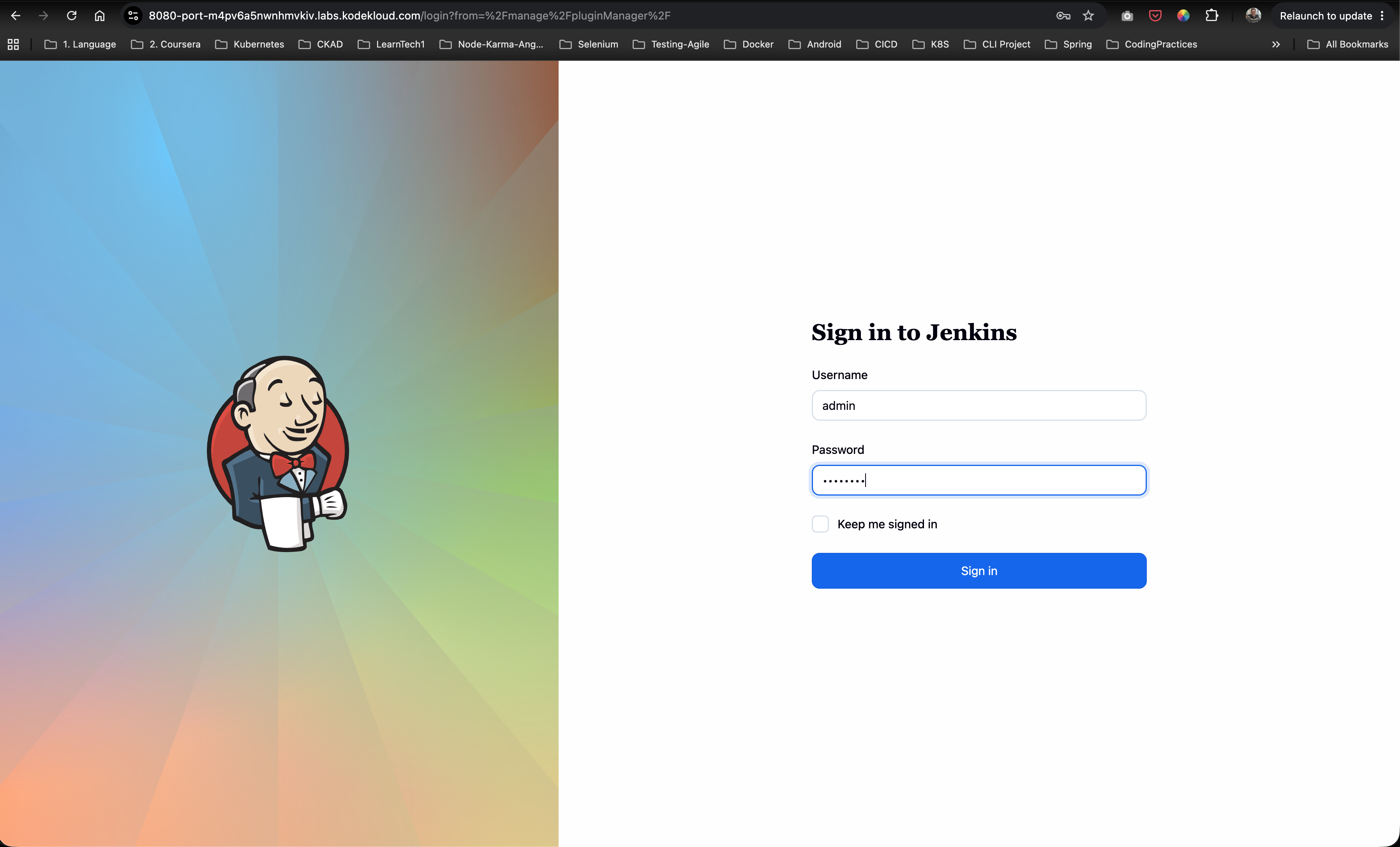
Step 1: Log in to Jenkins
- Open your browser and navigate to the Jenkins interface.
- Sign in with administrative credentials:
- Username:
admin - Password:
Adm!n321
- Username:
Step 2: Verify Required Plugins
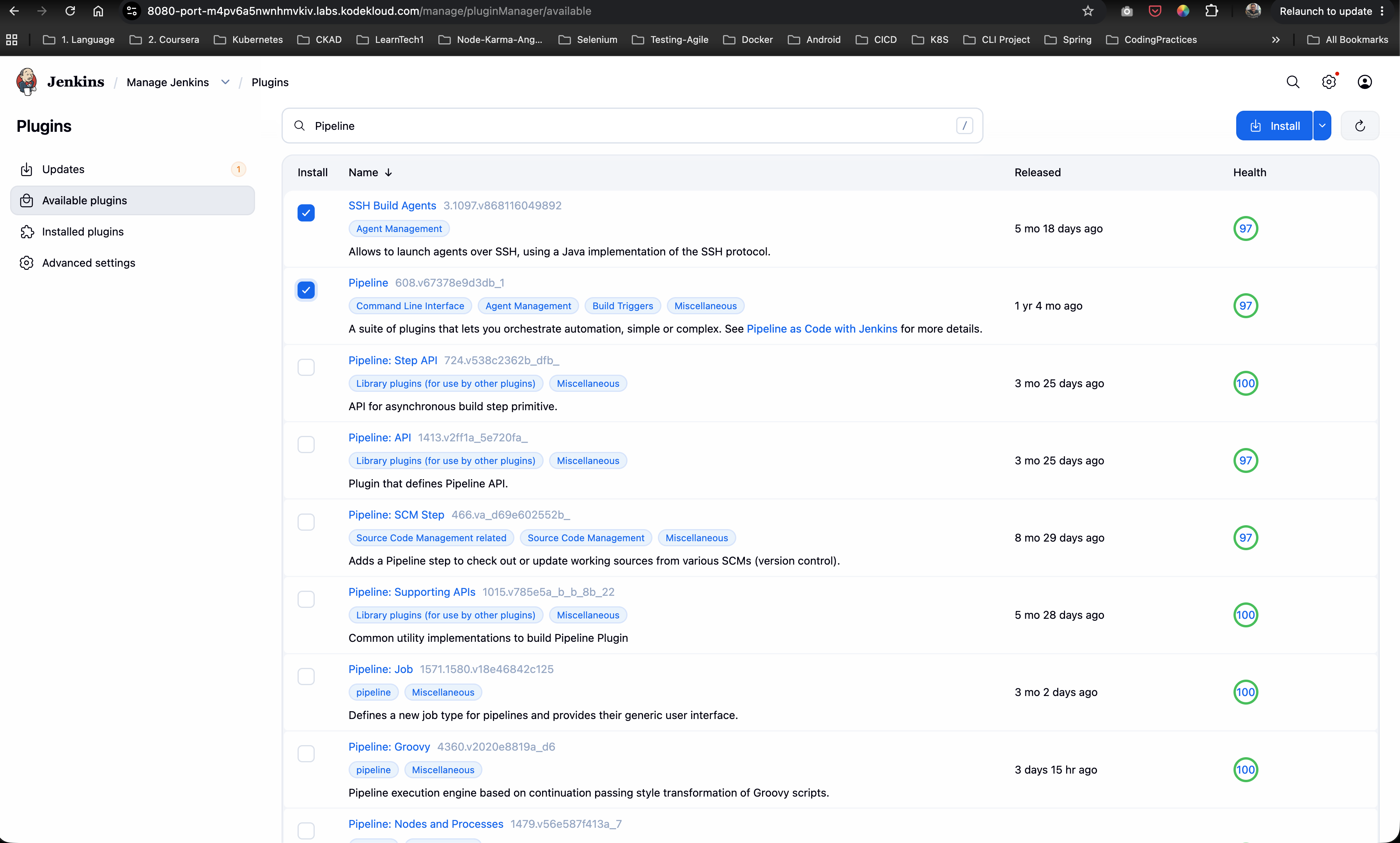
Navigate to Manage Jenkins -> Plugins -> Available plugins and verify that both Pipeline and SSH Build Agents plugins are installed and available.
Step 3: Configure App Server 1 SSH Build Agent Node
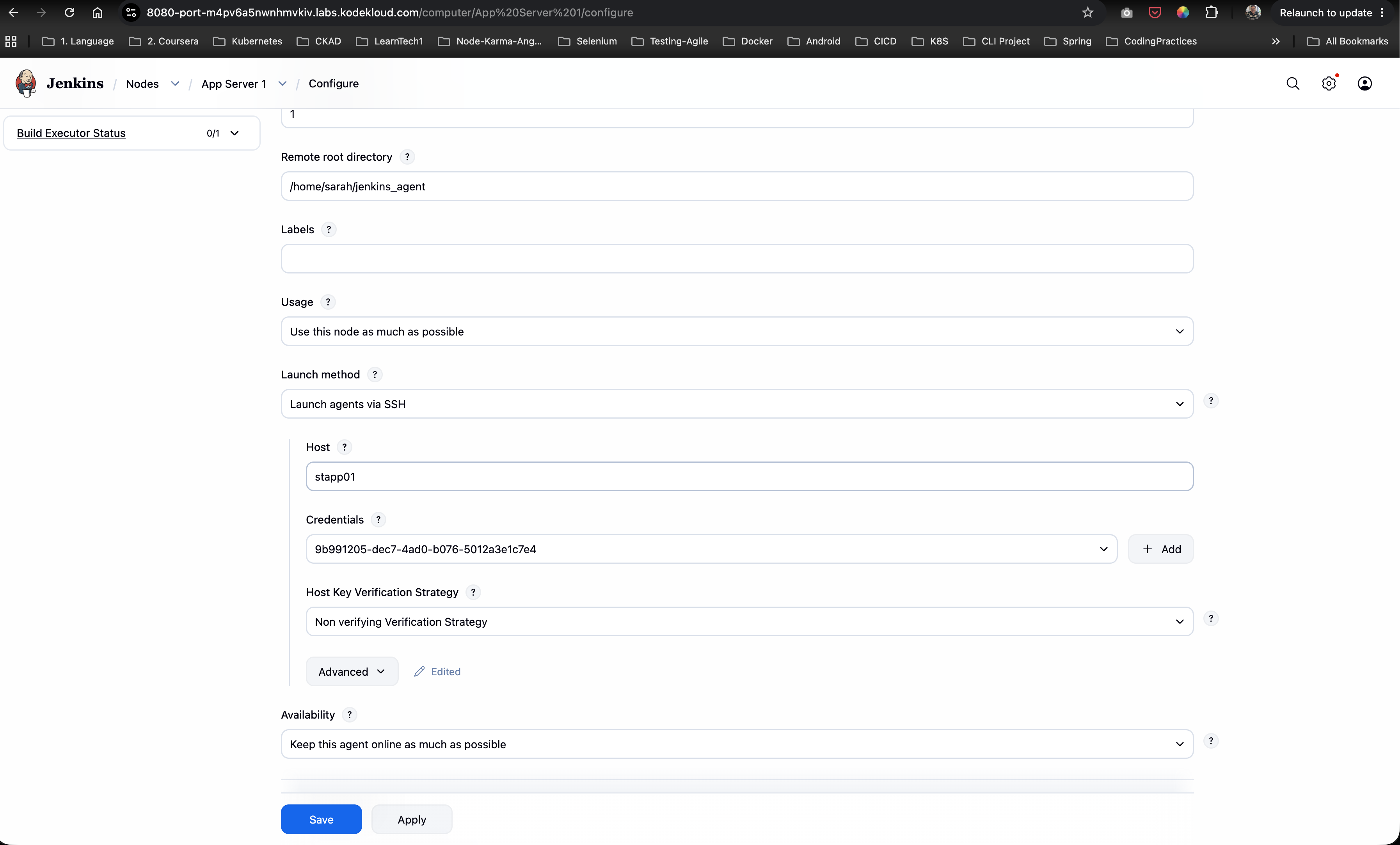
- Navigate to Manage Jenkins -> Nodes.
- Select or edit node
App Server 1configuration:- Remote root directory:
/home/sarah/jenkins_agent - Labels:
stapp01 - Launch method:
Launch agents via SSH - Host:
stapp01 - Credentials: Select SSH credentials for
sarah - Host Key Verification Strategy:
Non verifying Verification Strategy
- Remote root directory:
- Click Save.
Step 4: Verify Node Status
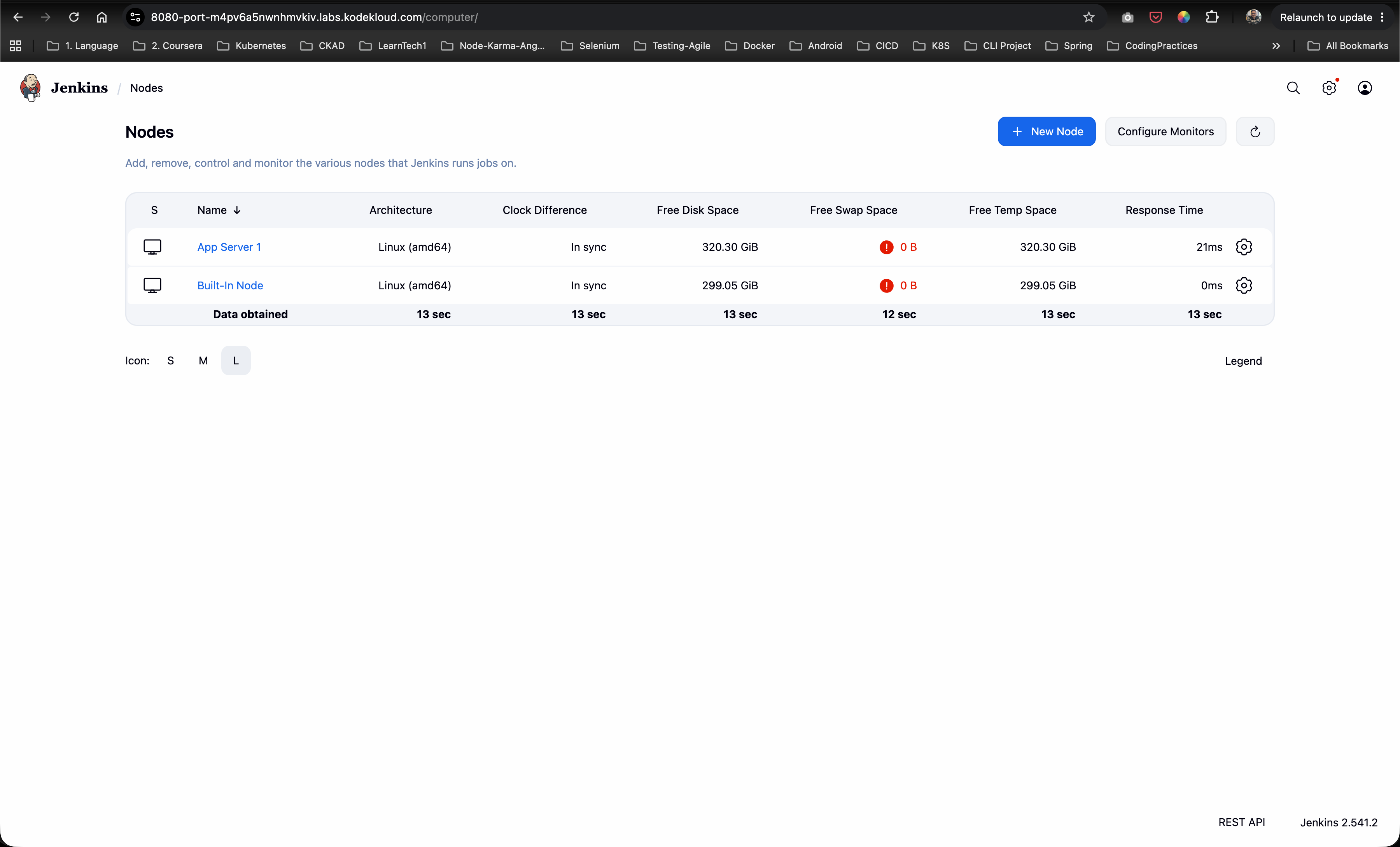
Confirm on the Nodes overview page that App Server 1 is online and connected with label stapp01.
Step 5: Create New Pipeline Job
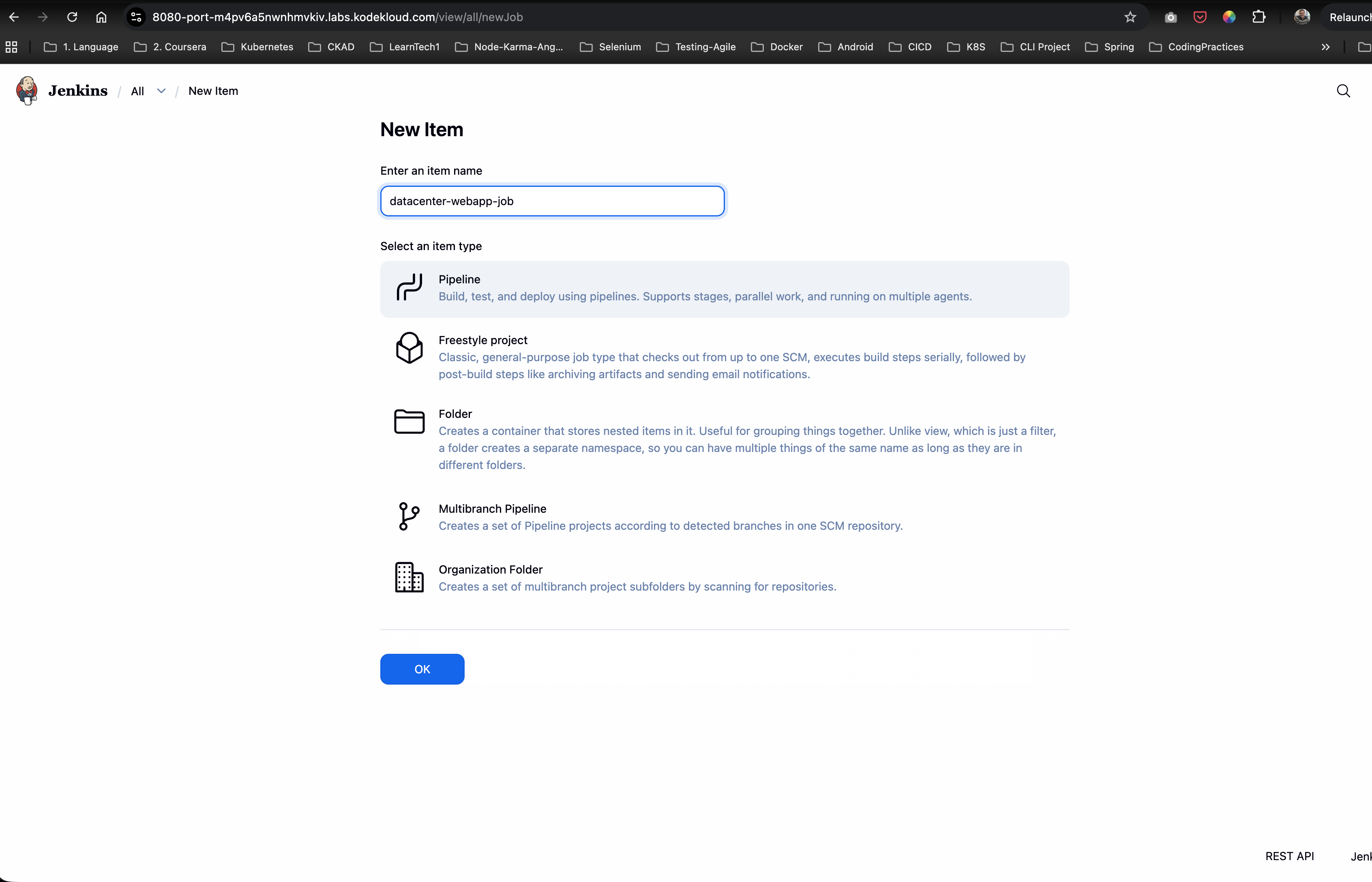
- Click New Item from the left dashboard menu.
- Enter item name:
datacenter-webapp-job - Select Pipeline as the item type.
- Click OK.
Step 6: Configure Pipeline Script
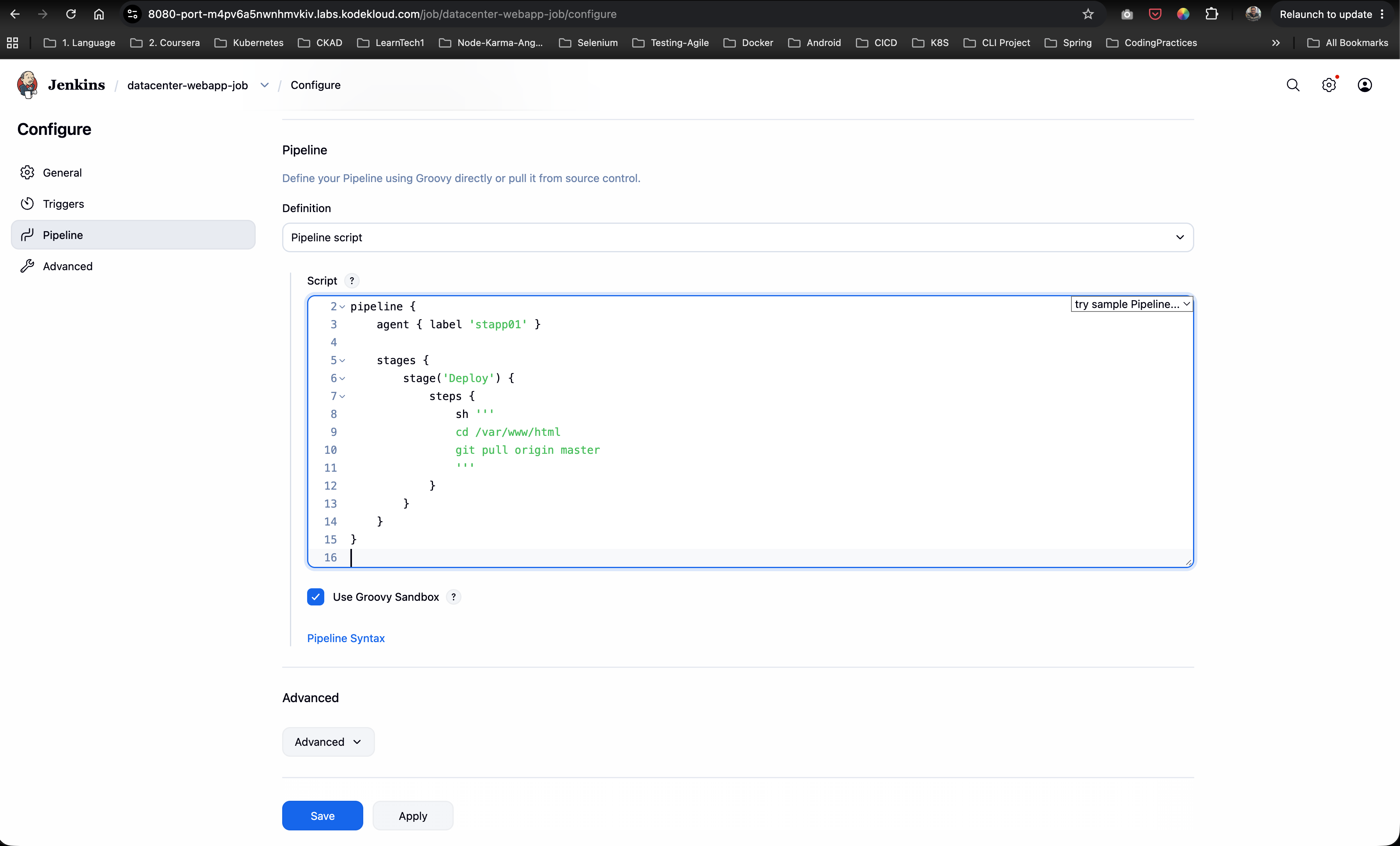
In the job configuration page under the Pipeline section, set Definition to Pipeline script and input the following Groovy code:
pipeline {
    agent { label 'stapp01' }

    stages {
        stage('Deploy') {
            steps {
                sh '''
                cd /var/www/html
                git pull origin master
                '''
            }
        }
    }
}
Click Save.
Step 7: Build Scheduling & Execution Handling
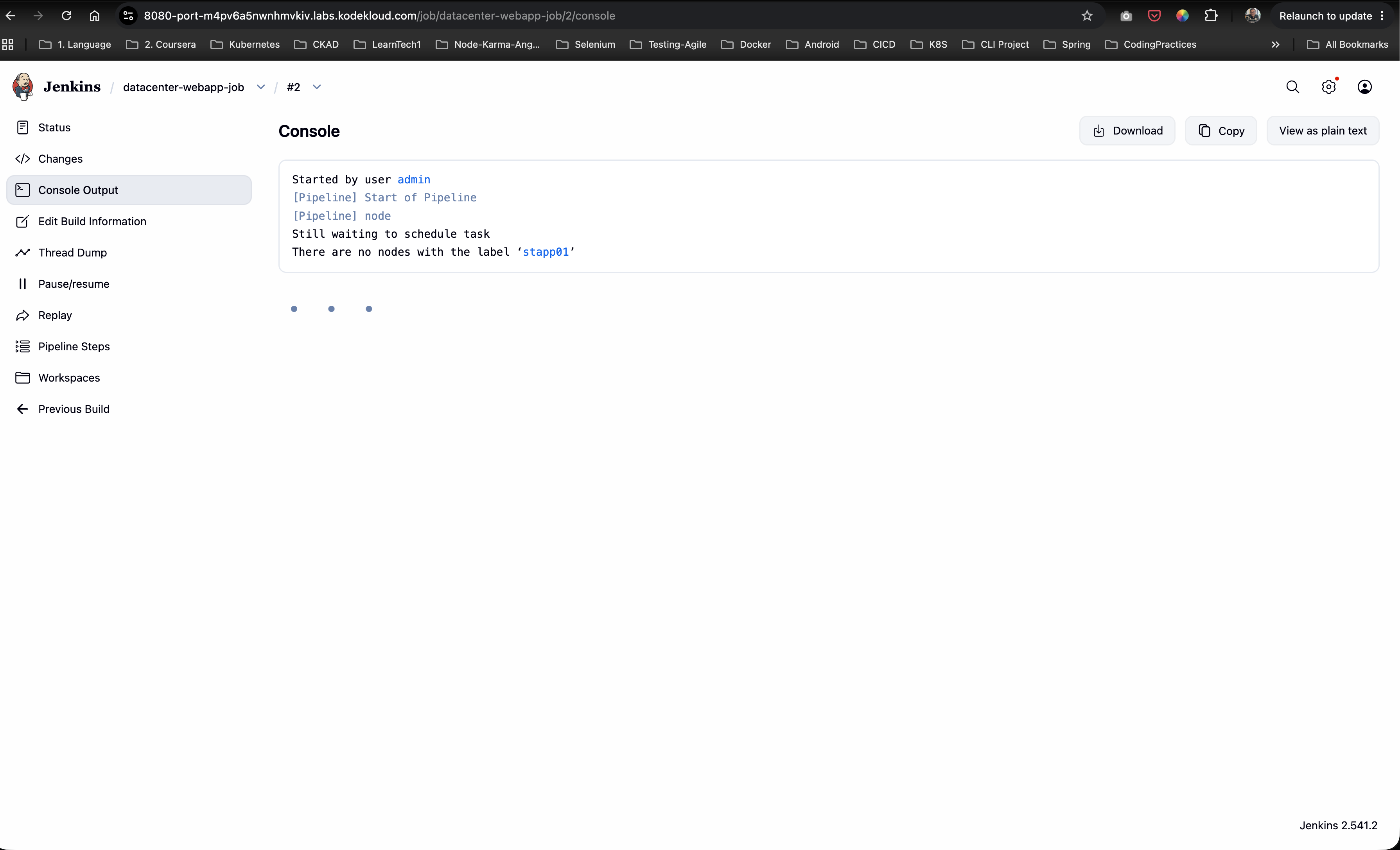
If the agent node is not tagged with stapp01 or is offline, Jenkins will queue the build with the message:
Still waiting to schedule task: There are no nodes with the label 'stapp01'
Once App Server 1 is properly online with label stapp01, click Build Now.
Step 8: Verify Build Console Output
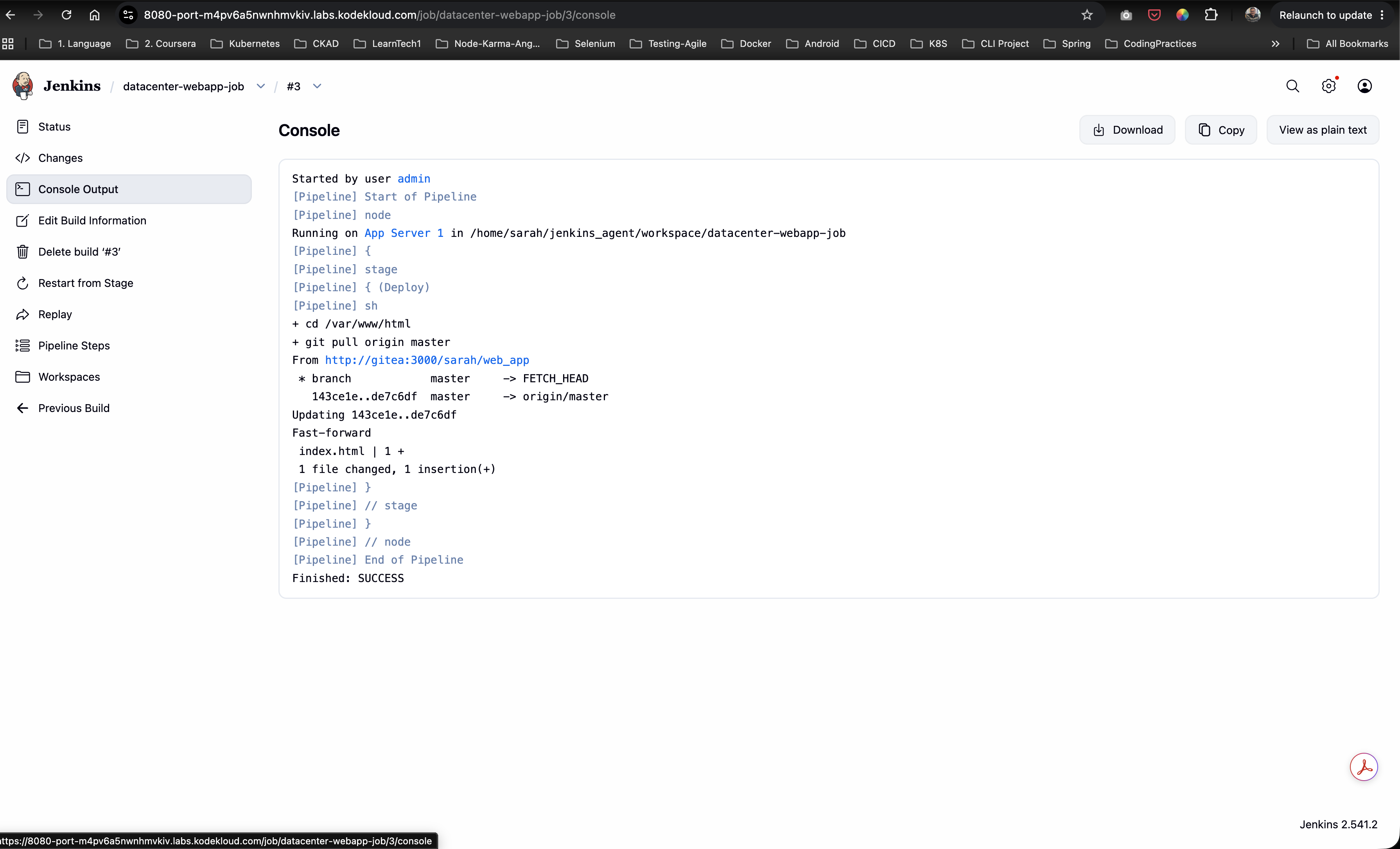
Open Console Output for Build #3 to verify successful execution:
- The build runs on
App Server 1inside workspace/home/sarah/jenkins_agent/workspace/datacenter-webapp-job. - Executes
cd /var/www/html && git pull origin master. - Pulls updates from
http://gitea:3000/sarah/web_app. - Status completes with
Finished: SUCCESS.
Step 9: Verify Initial Deployed Web Page
Navigate to the web server URL (port 8091). Verify the initial output served from /var/www/html/index.html:
Welcome to xFusionCorp Industries!

Step 10: Inspect Source Repository in Gitea
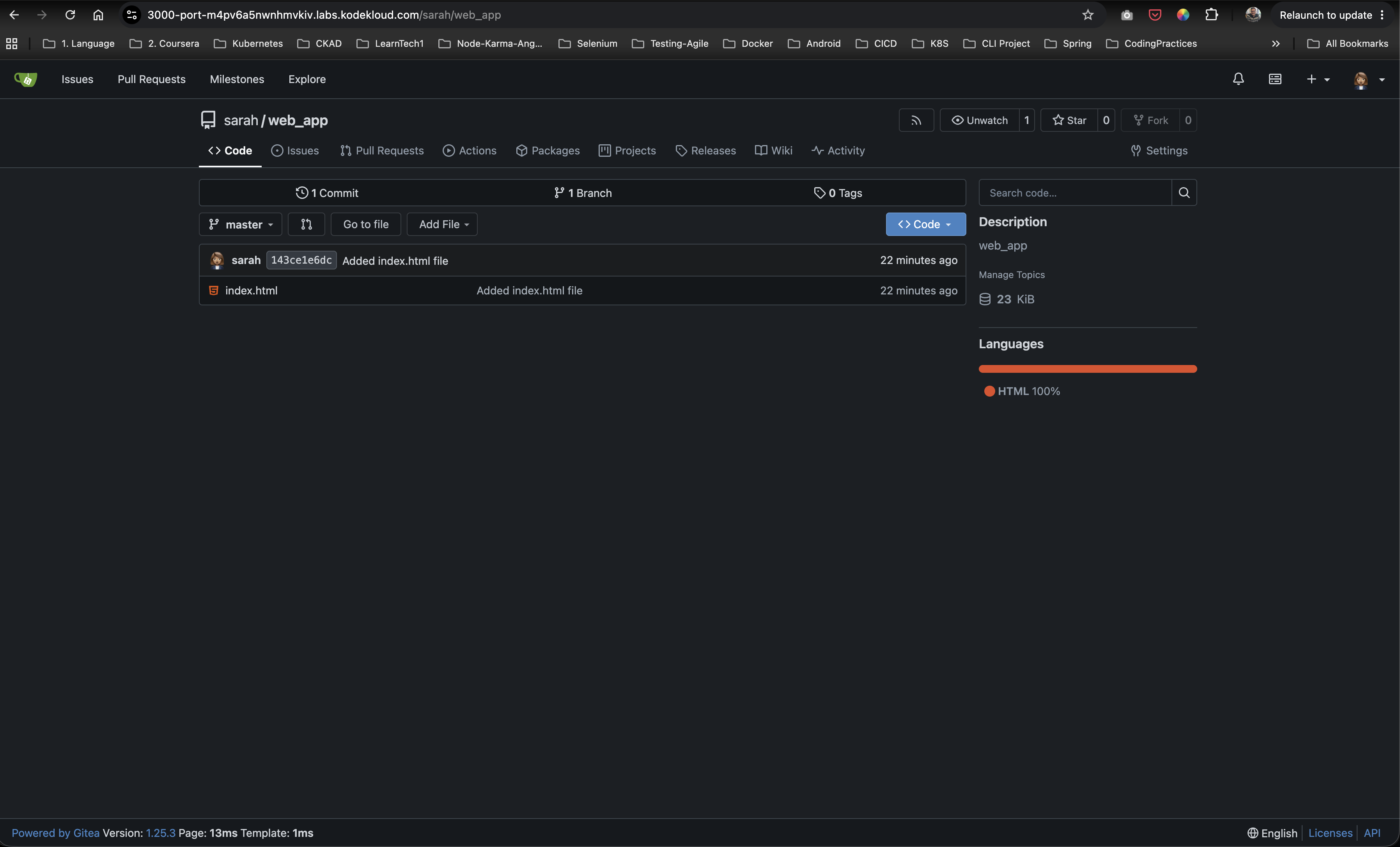
Access the Gitea repository at http://gitea:3000/sarah/web_app and open index.html.
Step 11: Update Source Code & Re-Trigger Deployment
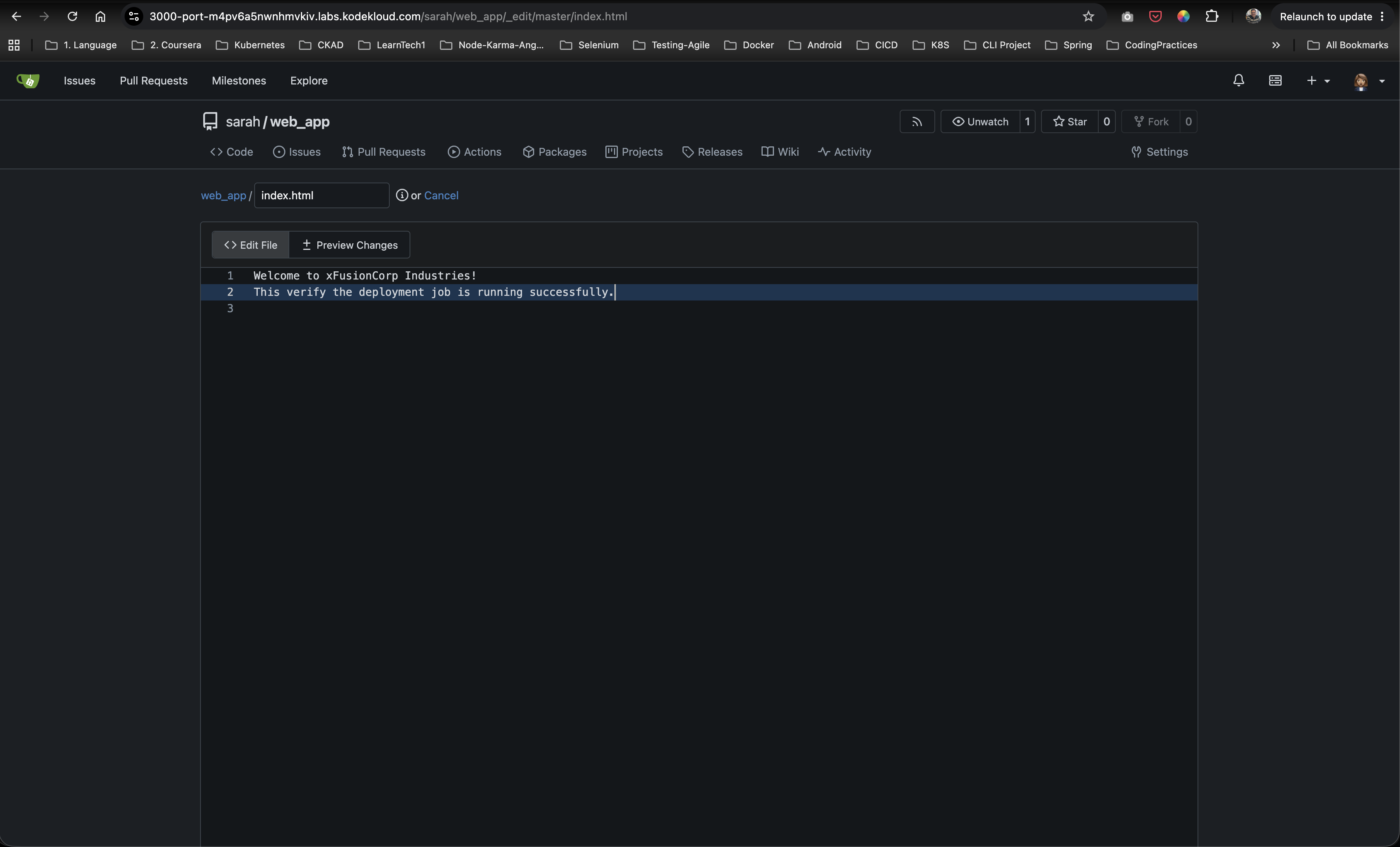
- In Gitea, edit
index.htmlto append additional text:Welcome to xFusionCorp Industries! This verify the deployment job is running successfully. - Commit changes to the
masterbranch.
- Trigger Build Now on
datacenter-webapp-jobin Jenkins.
Step 12: Confirm Updated Web Application
Refresh the web application URL on port 8091. Confirm the live web page reflects the latest commit:
Welcome to xFusionCorp Industries!
This verify the deployment job is running successfully.

Complete Declarative Jenkinsfile
pipeline {
    agent {
        label 'stapp01'
    }

    stages {
        stage('Deploy') {
            steps {
                sh '''
                cd /var/www/html
                git pull origin master
                '''
            }
        }
    }
}
Verification & Validation Checklist
- SSH Build Agent
App Server 1configured with labelstapp01and remote root/home/sarah/jenkins_agent. - Pipeline project
datacenter-webapp-jobcreated in Jenkins. - Declarative pipeline script defined with
agent { label 'stapp01' }and stage'Deploy'. - Deployment commands execute
git pull origin masterinside/var/www/html. - Jenkins build finishes with status
SUCCESS. - Web server running on
stapp01correctly serves updated contents from/var/www/html/index.html.