dev-ops-challenges
Jenkins Deploy Pipeline (Parameterized)
Technical Overview
Continuous Delivery workflows often require deploying code from different branches (such as master, main, staging, or feature branches) dynamically without hardcoding branch names into build configurations. Parameterized Jenkins Pipelines enable developers and DevOps engineers to pass runtime variables—such as target environment, release tags, or Git branch names—directly into declarative pipeline scripts.
In this challenge, we configure a parameterized Jenkins Declarative Pipeline job named datacenter-webapp-job to deploy a static web application to App Server 1 (stapp01). The pipeline accepts a user-defined string parameter named BRANCH, fetches the remote repository updates, checks out the specified branch, and updates the web server document root (/var/www/html).
Key tasks accomplished:
- Agent Node Configuration: Setting up an SSH Build Agent Node (
App Server 1) with labelstapp01and remote root directory/home/sarah/jenkins_agent. - Parameterized Job Setup: Creating a Jenkins Pipeline project named
datacenter-webapp-joband configuring a String ParameterBRANCHwith descriptionBranch to deploy. - Declarative Pipeline Scripting: Writing a Groovy script that targets agent
stapp01and runs shell commands (git fetch,git checkout ${BRANCH},git pull origin ${BRANCH}) inside/var/www/html. - Build Execution & Verification: Executing a Build with Parameters run specifying
BRANCH = master, inspecting console execution logs, and verifying clean deployment completion.
graph TD
    subgraph UserInput ["User / Automation Trigger"]
        Param["Build with Parameters<br/>BRANCH = master"]
    end

    subgraph JenkinsController ["Jenkins Controller"]
        Job["Pipeline Job:<br/>datacenter-webapp-job"]
        Script["Declarative Jenkinsfile<br/>agent { label 'stapp01' }"]
    end

    subgraph AppServer ["App Server 1: stapp01"]
        Agent["Jenkins Agent Process<br/>Root: /home/sarah/jenkins_agent"]
        GitRepo["Git Repository<br/>http://gitea:3000/sarah/web_app"]
        WebRoot["Apache Web Root<br/>/var/www/html"]
        Apache["Apache Web Server<br/>Port 8091"]
    end

    Param -->|"1. Submit Parameter"| Job
    Job -->|"2. Inject BRANCH Parameter"| Script
    Script -->|"3. Schedule on stapp01"| Agent
    Agent -->|"4. git fetch origin"| GitRepo
    Agent -->|"5. git checkout BRANCH"| WebRoot
    Agent -->|"6. git pull origin BRANCH"| WebRoot
    WebRoot -->|"7. Serve Updated Branch Content"| Apache
Pipeline Architecture & Parameterized Build Deep Dive
1. Runtime Job Parameterization
By checking This project is parameterized in the job configuration, Jenkins injects environment variables into the build process at runtime:
- Parameter Type: String Parameter
- Parameter Name:
BRANCH - Description:
Branch to deploy - Environment Injection: Inside shell build steps (
sh), the parameter is accessed via environment variable syntax:${BRANCH}or$BRANCH.
2. Multi-Branch Git Execution Strategy
To safely switch and pull branches inside an existing document root, the pipeline uses a three-step Git strategy:
git fetch origin: Synchronizes all remote branch refs from Gitea without modifying local files.git checkout ${BRANCH}: Switches the local web root working tree to the branch specified in theBRANCHparameter.git pull origin ${BRANCH}: Pulls the latest commits from the tracking branch on origin into/var/www/html.
pipeline {
    agent { label 'stapp01' }

    stages {
        stage('Deploy') {
            steps {
                sh '''
                cd /var/www/html
                git fetch origin
                git checkout ${BRANCH}
                git pull origin ${BRANCH}
                '''
            }
        }
    }
}
Infrastructure & Configuration Requirements
- Jenkins Controller Access: Web Browser (HTTP) on port
8080 - Admin Credentials:
admin/Adm!n321 - Target Application Server:
App Server 1(stapp01) - Git Repository:
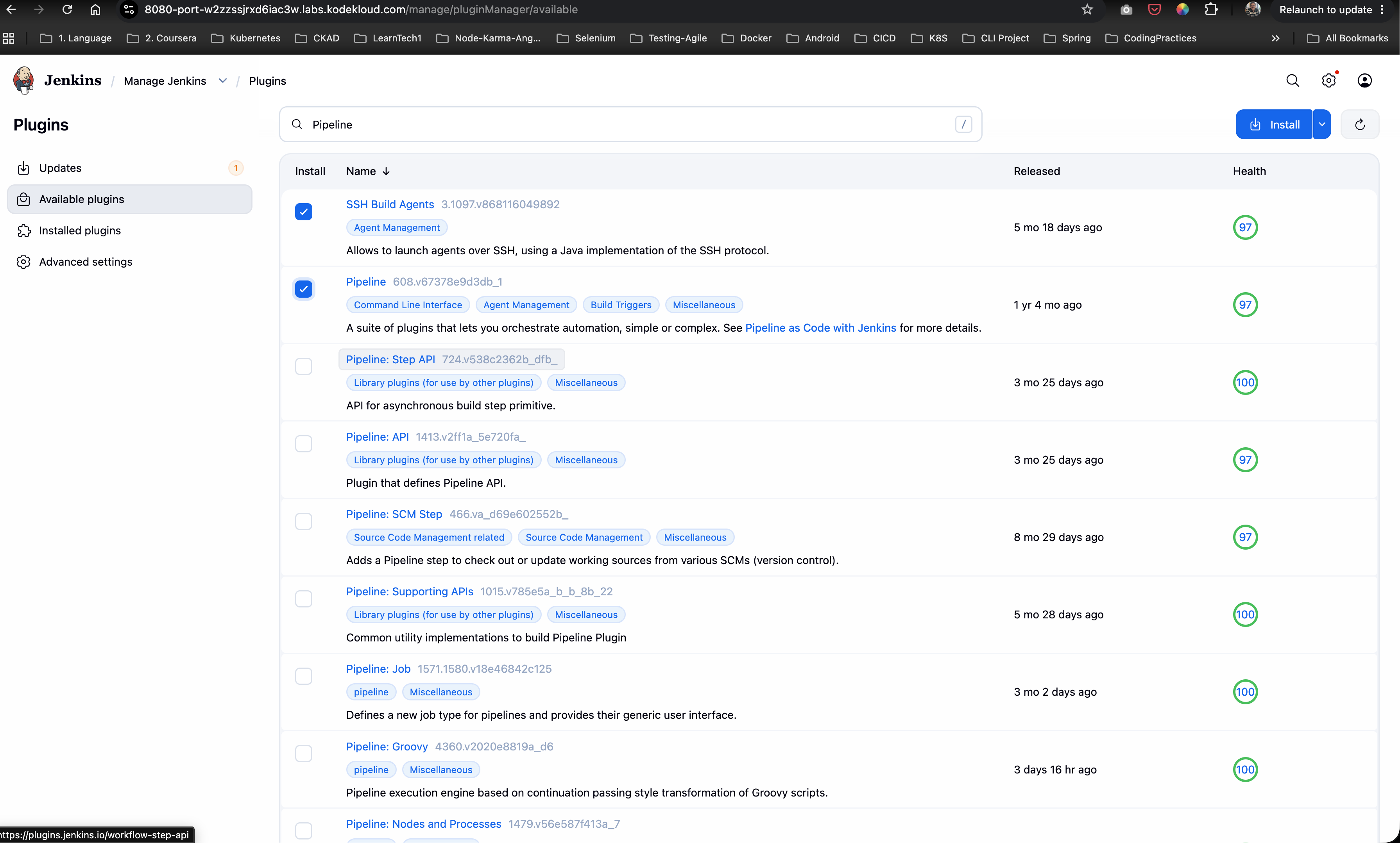
http://gitea:3000/sarah/web_app - Required Plugins:
Pipeline,SSH Build Agents
Agent Node & Parameterized Job Matrix
| Setting | Value |
|---|---|
| Node Name | App Server 1 |
| Node Label | stapp01 |
| Remote Root Directory | /home/sarah/jenkins_agent |
| Launch Method | Launch agents via SSH |
| Host | stapp01 |
| SSH Credentials | sarah |
| Pipeline Job Name | datacenter-webapp-job |
| Parameter Type | String Parameter |
| Parameter Name | BRANCH |
| Parameter Description | Branch to deploy |
| Pipeline Stage Name | Deploy |
| Web Server Document Root | /var/www/html |
Step-by-Step Walkthrough
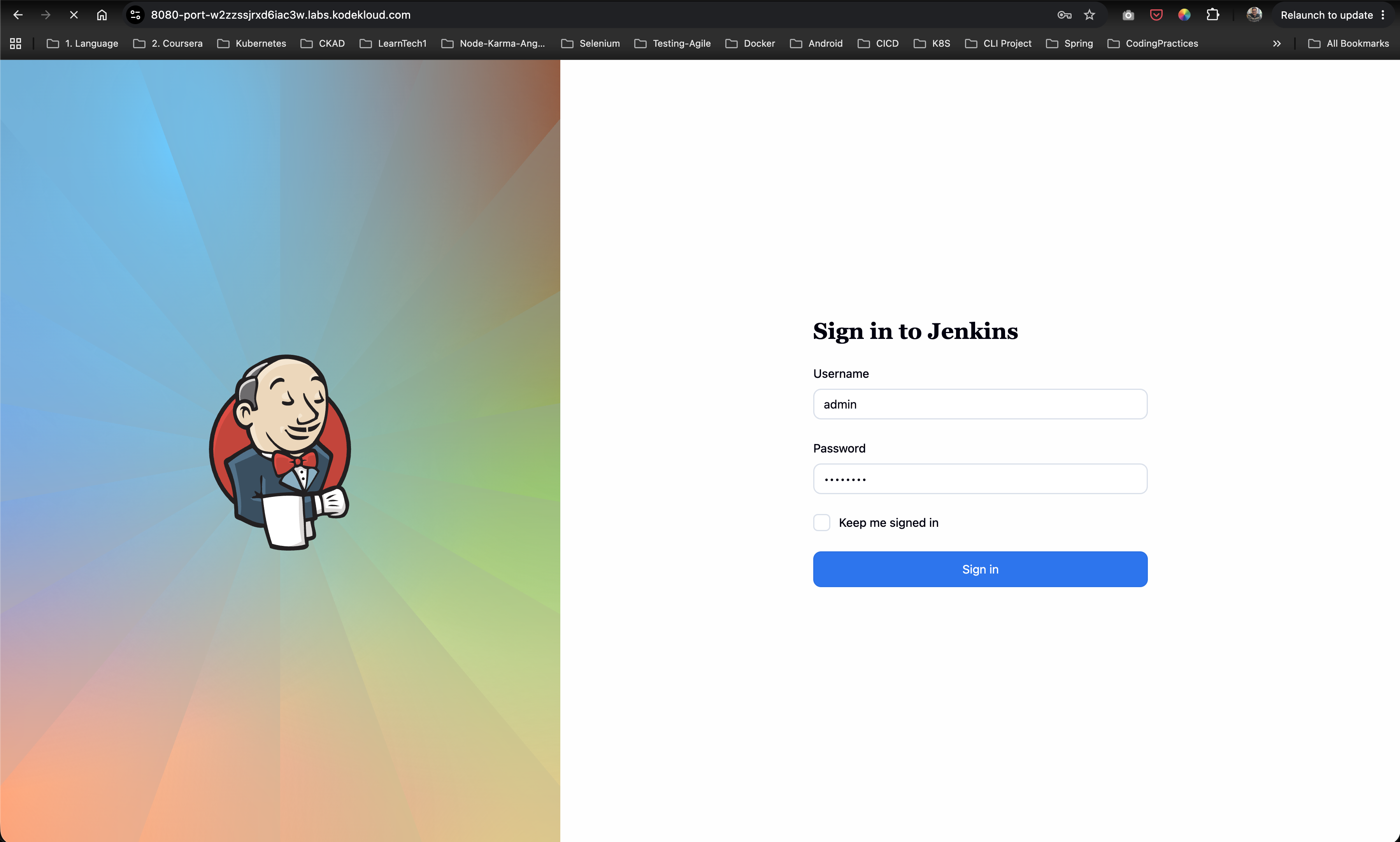
Step 1: Log in to Jenkins
- Open your web browser and navigate to the Jenkins login page.
- Log in using administrative credentials:
- Username:
admin - Password:
Adm!n321
- Username:
Step 2: Verify Installed Plugins
Navigate to Manage Jenkins -> Plugins -> Installed plugins and verify that both Pipeline and SSH Build Agents plugins are installed and enabled.
Step 3: Configure App Server 1 Agent Node
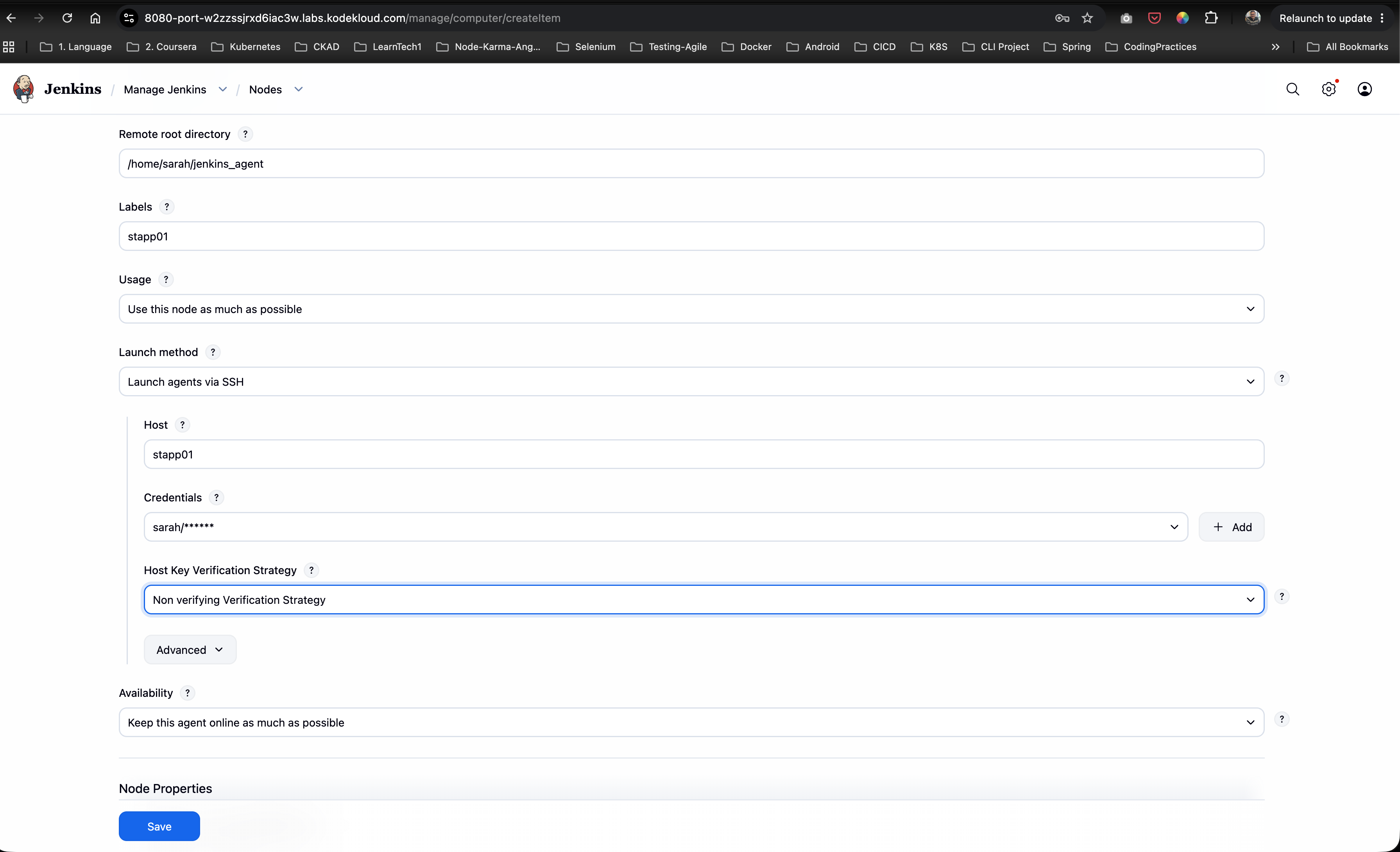
- Go to Manage Jenkins -> Nodes.
- Configure or edit
App Server 1:- Remote root directory:
/home/sarah/jenkins_agent - Labels:
stapp01 - Launch method:
Launch agents via SSH - Host:
stapp01 - Credentials:
sarah - Host Key Verification Strategy:
Non verifying Verification Strategy
- Remote root directory:
- Click Save.
Step 4: Verify Agent Connection Status
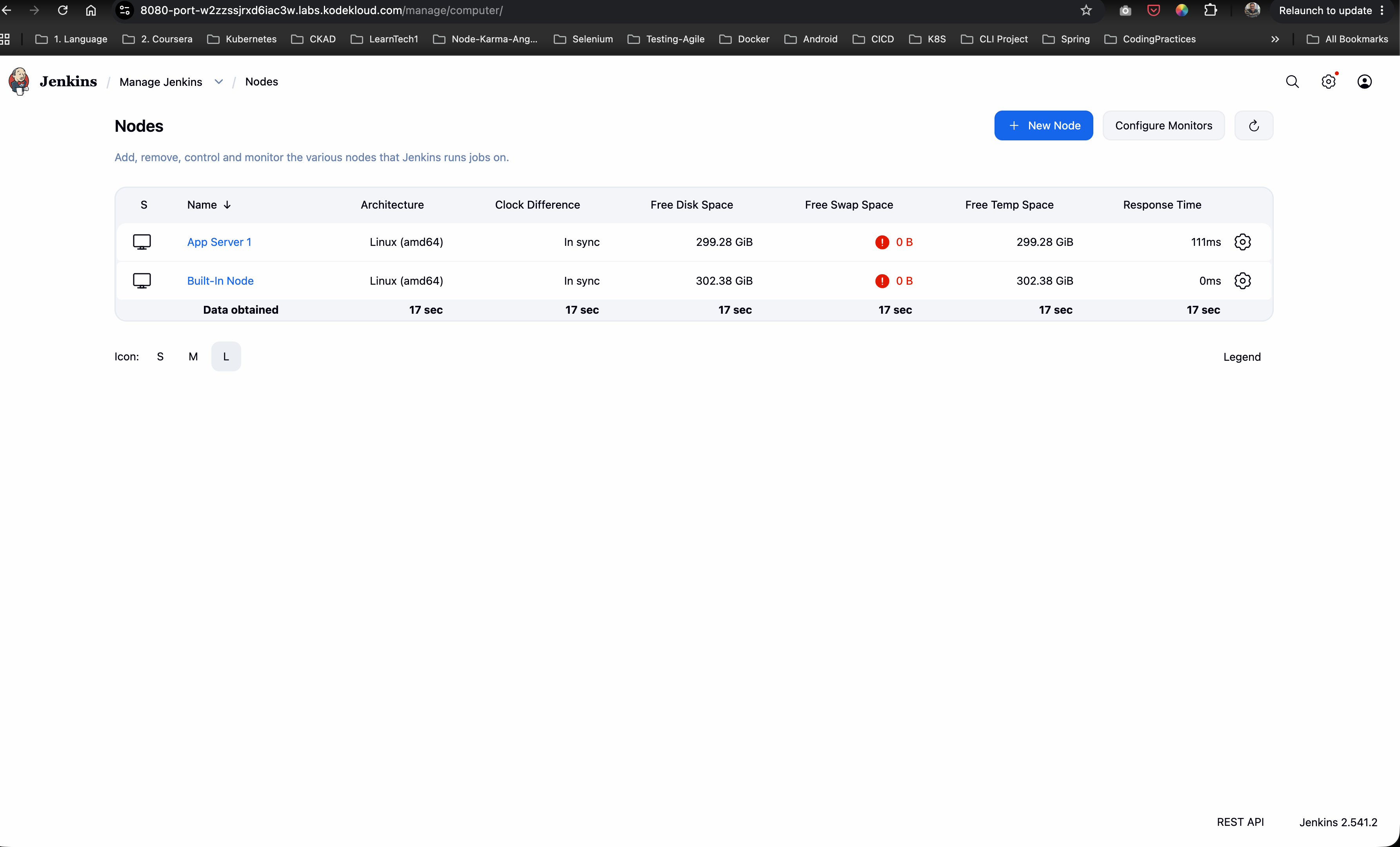
On the Nodes overview page, confirm that App Server 1 is online and actively connected to the controller with label stapp01.
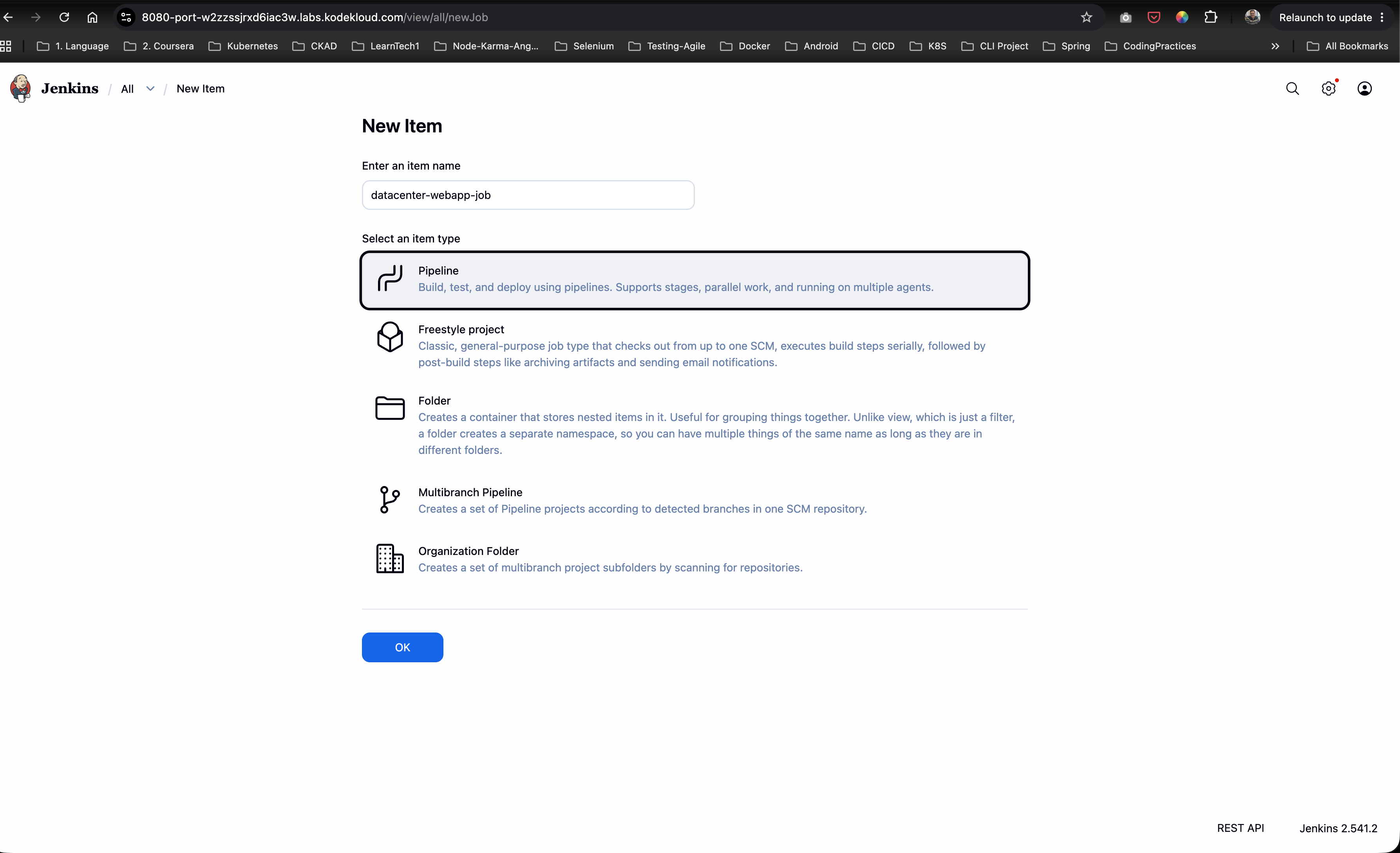
Step 5: Create Pipeline Job datacenter-webapp-job
- Click New Item on the Jenkins home dashboard.
- Enter item name:
datacenter-webapp-job - Select Pipeline as the project type.
- Click OK.
Step 6: Configure String Parameter BRANCH
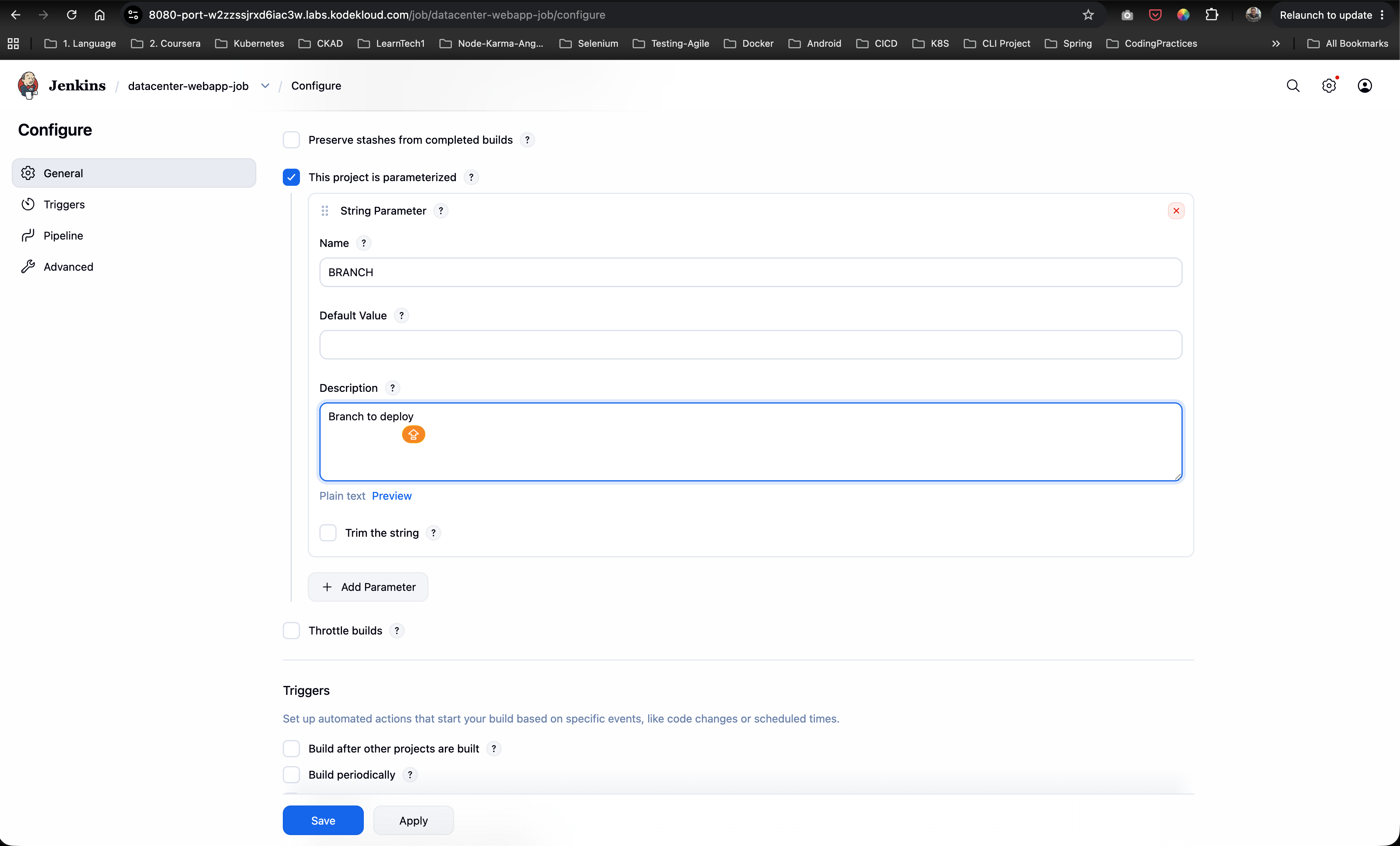
In the project configuration under the General section:
- Check the box This project is parameterized.
- Click Add Parameter -> String Parameter.
- Configure the parameter fields:
- Name:
BRANCH - Default Value: Leave empty or set default branch (e.g.,
master) - Description:
Branch to deploy
- Name:
Step 7: Configure Parameterized Pipeline Script
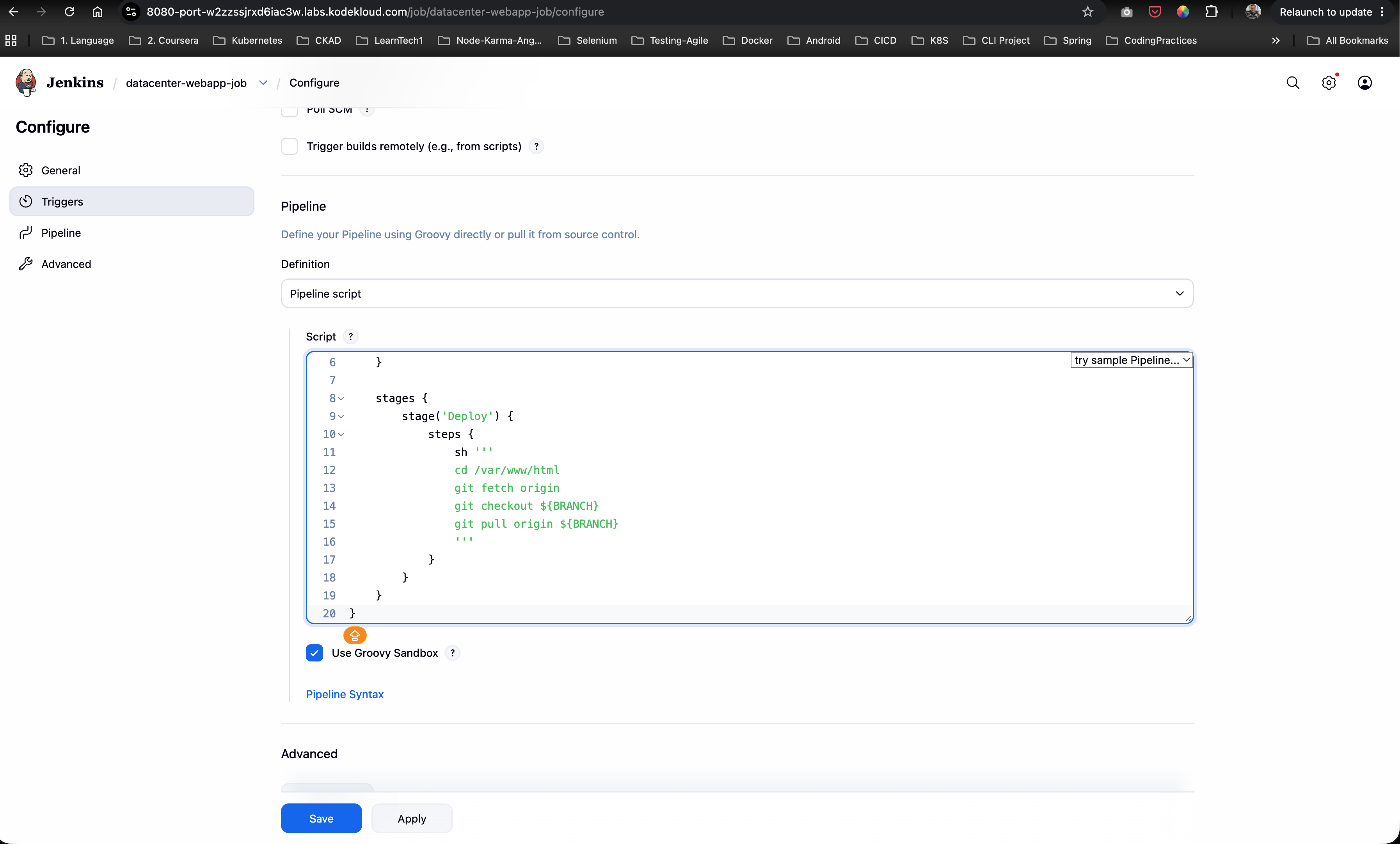
Scroll down to the Pipeline section, set Definition to Pipeline script, and paste the following Groovy pipeline script:
pipeline {
    agent { label 'stapp01' }

    stages {
        stage('Deploy') {
            steps {
                sh '''
                cd /var/www/html
                git fetch origin
                git checkout ${BRANCH}
                git pull origin ${BRANCH}
                '''
            }
        }
    }
}
Click Save.
Step 8: Trigger Build with Parameters
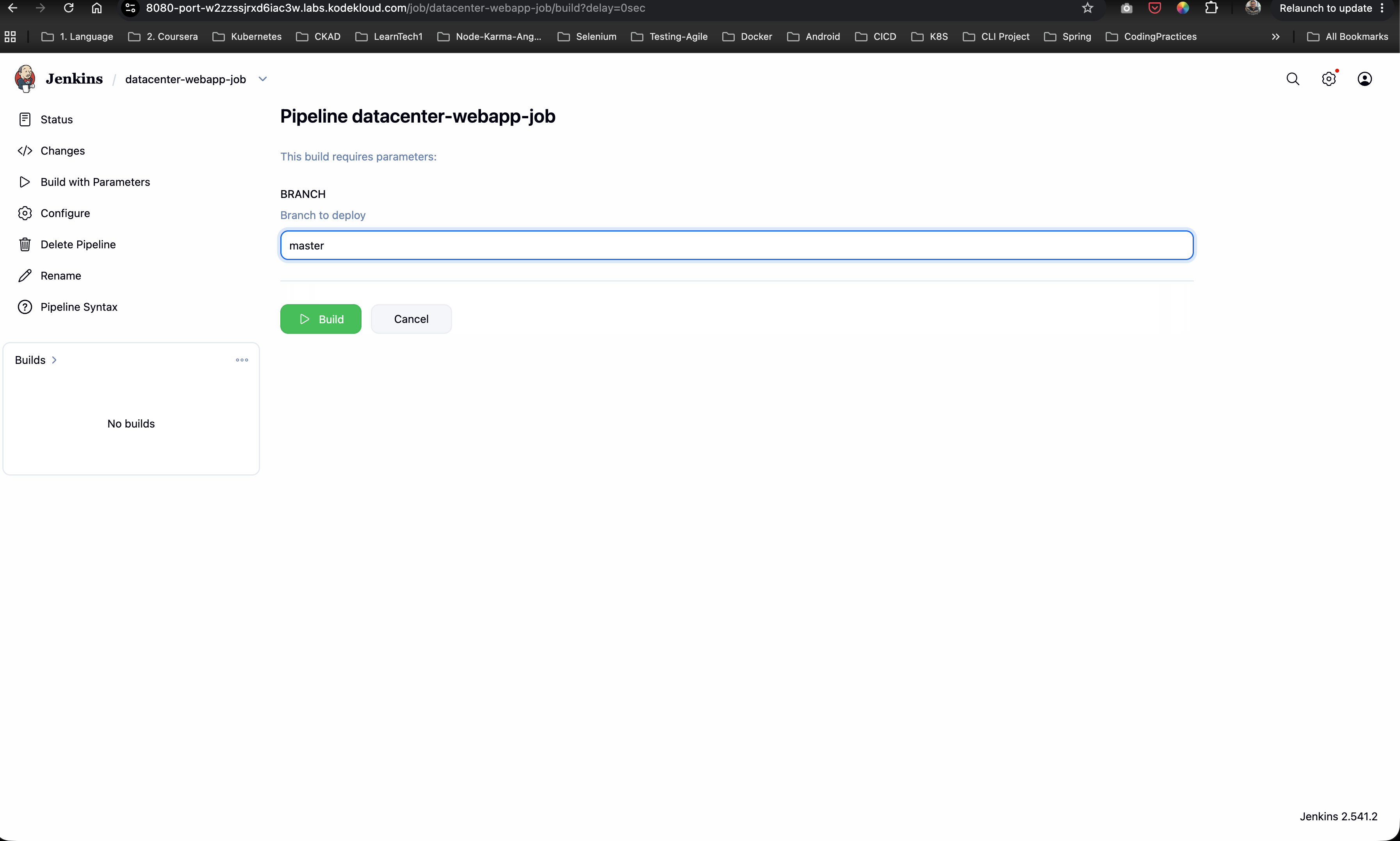
- On the job dashboard for
datacenter-webapp-job, click Build with Parameters in the left sidebar. - Enter
masterin the BRANCH parameter input field. - Click Build.
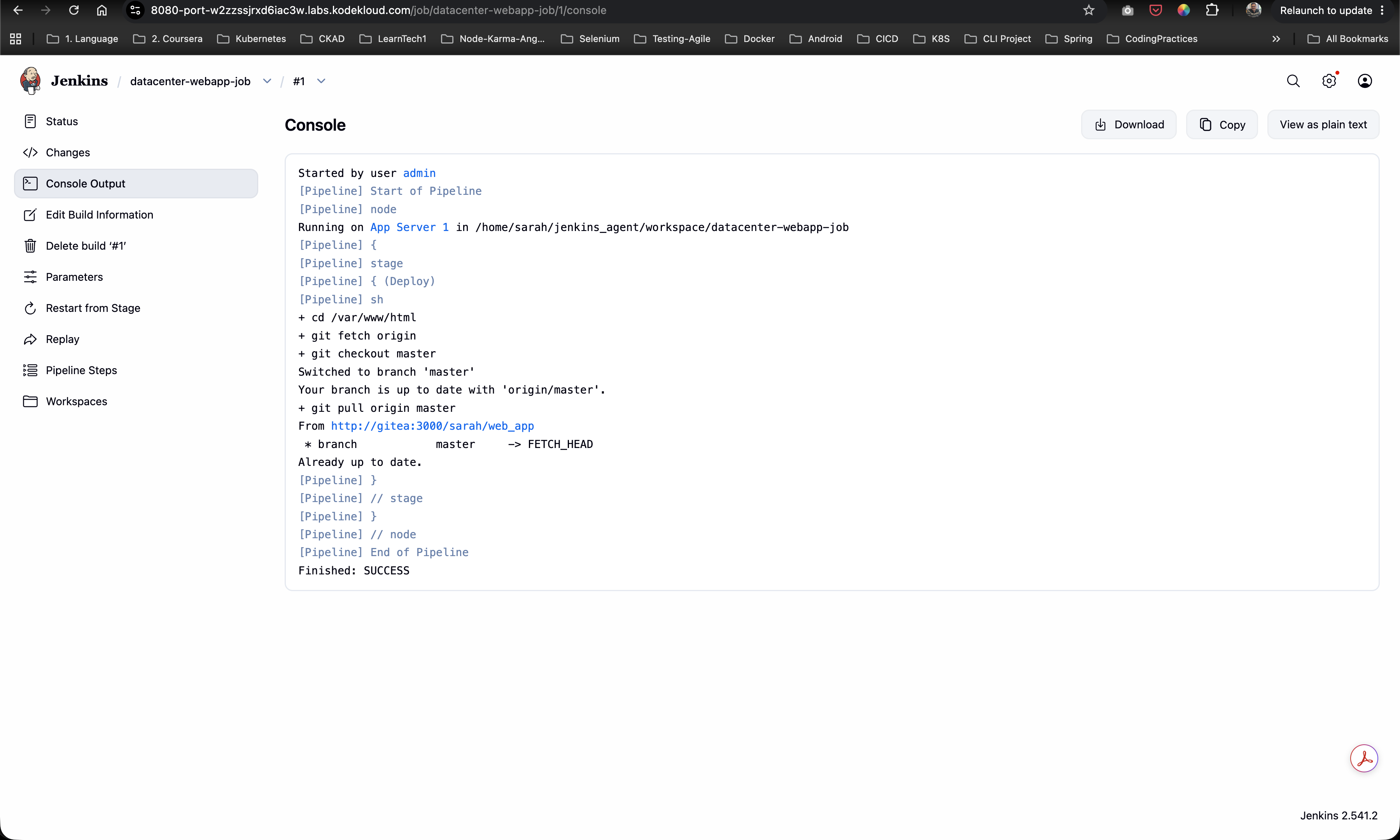
Step 9: Verify Console Output Log
Open Console Output for Build #1 to confirm successful execution:
- The job is scheduled on agent
App Server 1in workspace/home/sarah/jenkins_agent/workspace/datacenter-webapp-job. - Executes
cd /var/www/html. - Executes
git fetch origin. - Executes
git checkout master(Switched to branch 'master'). - Executes
git pull origin master(From http://gitea:3000/sarah/web_app). - Job completes with status
Finished: SUCCESS.
Complete Declarative Jenkinsfile
pipeline {
    agent {
        label 'stapp01'
    }

    stages {
        stage('Deploy') {
            steps {
                sh '''
                cd /var/www/html
                git fetch origin
                git checkout ${BRANCH}
                git pull origin ${BRANCH}
                '''
            }
        }
    }
}
Verification & Validation Checklist
- SSH Agent Node
App Server 1active with labelstapp01and remote root/home/sarah/jenkins_agent. - Pipeline project
datacenter-webapp-jobcreated in Jenkins. - Job parameterization configured with String Parameter
BRANCHand descriptionBranch to deploy. - Declarative Pipeline script configured with
agent { label 'stapp01' }and shell steps referencing${BRANCH}. - Build with Parameters executed specifying
BRANCH = master. - Git fetch, checkout, and pull commands executed successfully in
/var/www/html. - Build finished with status
Finished: SUCCESS.