dev-ops-challenges
Jenkins Deployment Job
Technical Overview
Continuous Deployment (CD) pipelines serve as the backbone of modern DevOps workflows by automatically building, testing, and deploying application code to target environments as soon as changes are committed to source control. In environments where external webhooks are restricted or unavailable, Jenkins SCM Polling (Poll SCM) periodically queries Git repositories for new commits and automatically triggers deployment tasks on designated target nodes.
In this challenge, we construct an automated Jenkins deployment job named datacenter-app-deployment that targets App Server 1 (stapp01). The job monitors a Git repository hosted on Gitea, automatically detects changes pushed to the master branch, and synchronizes the application files directly into Apache’s web document root (/var/www/html).
Key tasks accomplished:
- Prerequisite & Plugin Setup: Installing and validating essential Jenkins plugins: SSH Build Agents and Git.
- Java 17 Upgrade & SSH Agent Node Registration: SSHing into
App Server 1(stapp01), upgrading the Java runtime environment from OpenJDK 11 to Java 17 (java-17-openjdk) to meet Jenkins Remoting requirements, and configuringstapp01as an SSH Build Agent with remote root/var/www/html. - Freestyle Job Creation & Poll SCM: Creating a Freestyle project named
datacenter-app-deployment, restricting build execution to labelstapp01, configuring SCM with the Gitea repository (http://gitea:3000/sarah/web.git), and setting up Poll SCM (H/2 * * * *). - Automated Shell Deployment Script: Writing shell build commands to pull latest code changes directly into
/var/www/html. - Ownership Fix & End-to-End Verification: Ensuring user
sarahowns/var/www/html, pushing a code update (Welcome to the xFusionCorp Industries) to the remotemasterbranch, observing automated trigger execution, and confirming the updated app response.
graph TD
    subgraph SCM ["Gitea Source Control"]
        GitRepo["Git Repository: sarah/web.git<br/>Branch: master"]
    end

    subgraph JenkinsController ["Jenkins Controller"]
        PollTrigger["Poll SCM Scheduler<br/>Schedule: Every 2 Minutes"]
        Job["Freestyle Job:<br/>datacenter-app-deployment"]
    end

    subgraph AppServer ["App Server 1: stapp01"]
        Java17["Java 17 Runtime<br/>java-17-openjdk"]
        Agent["Jenkins Agent Process<br/>Remote Root: /var/www/html"]
        WebRoot["Apache Document Root<br/>/var/www/html - Owner: sarah"]
        Apache["Apache Web Server<br/>Port 8091"]
    end

    PollTrigger -->|"1. Poll Git Repository Every 2 min"| GitRepo
    GitRepo -->|"2. Detect New Commit Hash"| Job
    Job -->|"3. Trigger Deployment on stapp01"| Agent
    Agent -->|"4. Execute Shell: git pull origin master"| WebRoot
    WebRoot -->|"5. Serve Updated Content"| Apache
CD Deployment Architecture & Polling Strategy
1. Jenkins Remoting & Java 17 Requirement
Modern Jenkins agent remoting libraries (remoting.jar) require Java 17+ on agent nodes. When configuring an SSH Build Agent node:
- Version Mismatch Risks: If the remote agent node runs Java 11 or older, Jenkins agent launch fails during remoting handshake.
- System Java Update: Installing
java-17-openjdkandjava-17-openjdk-headlessviayumprovides the compatible runtime required forstapp01.
2. SCM Polling (Poll SCM) vs Webhooks
While webhooks push event notifications from Git servers to Jenkins instantaneously, Poll SCM operates on a pull model:
- Schedule Expression (
H/2 * * * *): Uses cron syntax with Jenkins hash distribution (H) to poll the Git repository every 2 minutes. - State Tracking: Jenkins records the commit hash of the last successful build. When Poll SCM detects a different commit hash on
master, it schedules a new build execution automatically.
3. Document Root Deployment & File Ownership
Deploying straight to Apache’s document root /var/www/html requires proper POSIX permissions:
- SSH User Context: Jenkins connects to
stapp01as SSH usersarah. - Directory Ownership: If
/var/www/htmlis owned byrootorapache, usersarahcannot pull files or update working tree files. Setting ownership (sudo chown -R sarah:sarah /var/www/html) grants Jenkins necessary write permissions.
Infrastructure & Configuration Requirements
- Jenkins Controller Access: Web Browser on port
8080 - Jenkins Admin Credentials:
admin/Adm!n321 - Target Application Server:
App Server 1(stapp01) - SSH Credentials:
sarah(username & password) - Git Repository URL:
http://gitea:3000/sarah/web.git - Required Plugins:
SSH Build Agents,Git
Agent Node & Job Configuration Matrix
| Setting | Value |
|---|---|
| Node Name | App Server 1 |
| Node Label | stapp01 |
| Remote Root Directory | /var/www/html |
| Agent Launch Method | Launch agents via SSH |
| Host | stapp01 |
| Credentials | sarah |
| Jenkins Job Name | datacenter-app-deployment |
| Job Type | Freestyle Project |
| Restrict Where Project Runs | stapp01 |
| Repository URL | http://gitea:3000/sarah/web.git |
| Branch Specifier | */master |
| Build Trigger | Poll SCM (H/2 * * * *) |
| Build Action | Execute shell (cd /var/www/html && git pull origin master) |
Step-by-Step Walkthrough
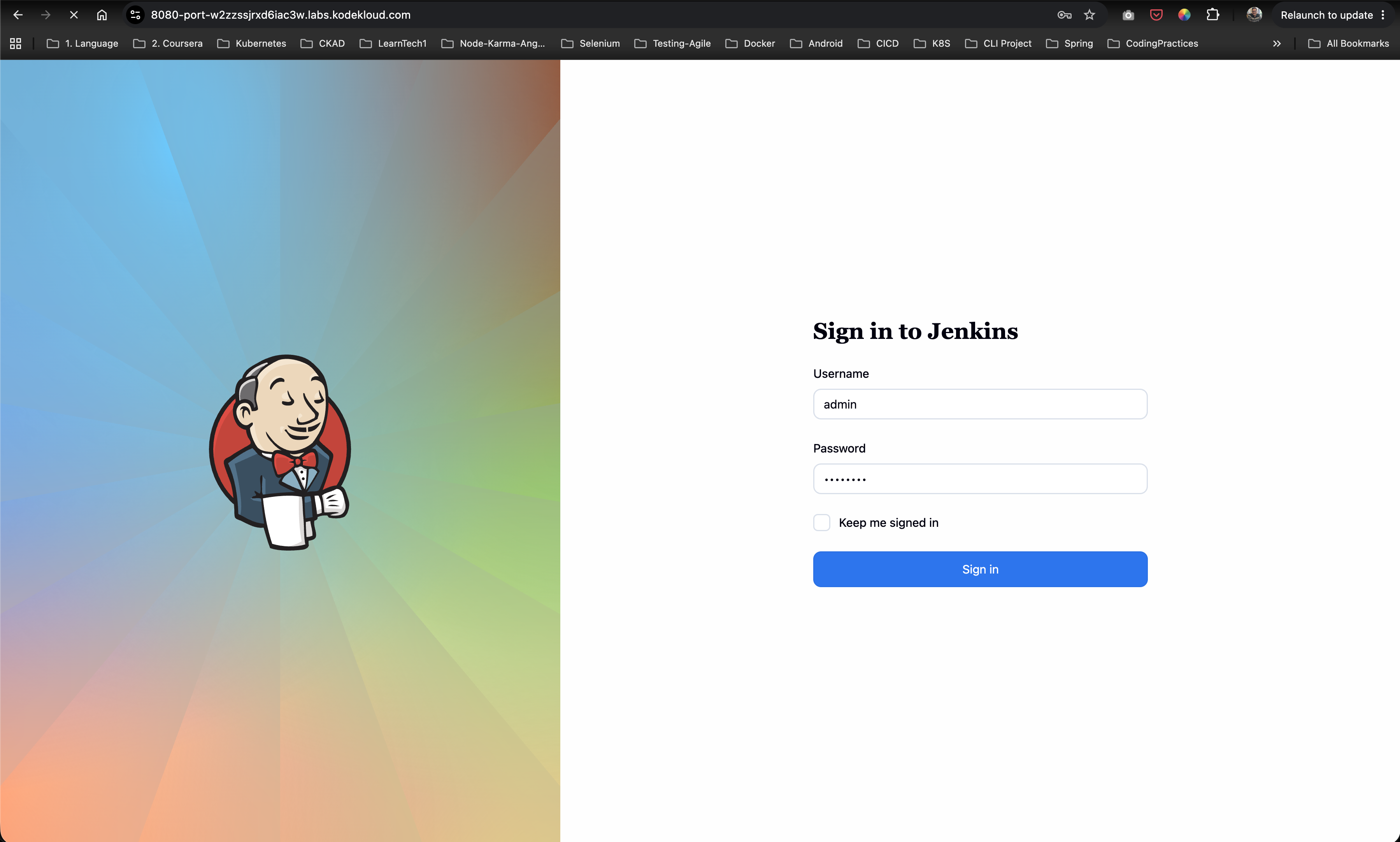
Step 1: Log in to Jenkins & Verify Installed Plugins
- Access the Jenkins web console in your browser.
- Log in using the administrative credentials:
- Username:
admin - Password:
Adm!n321
- Username:
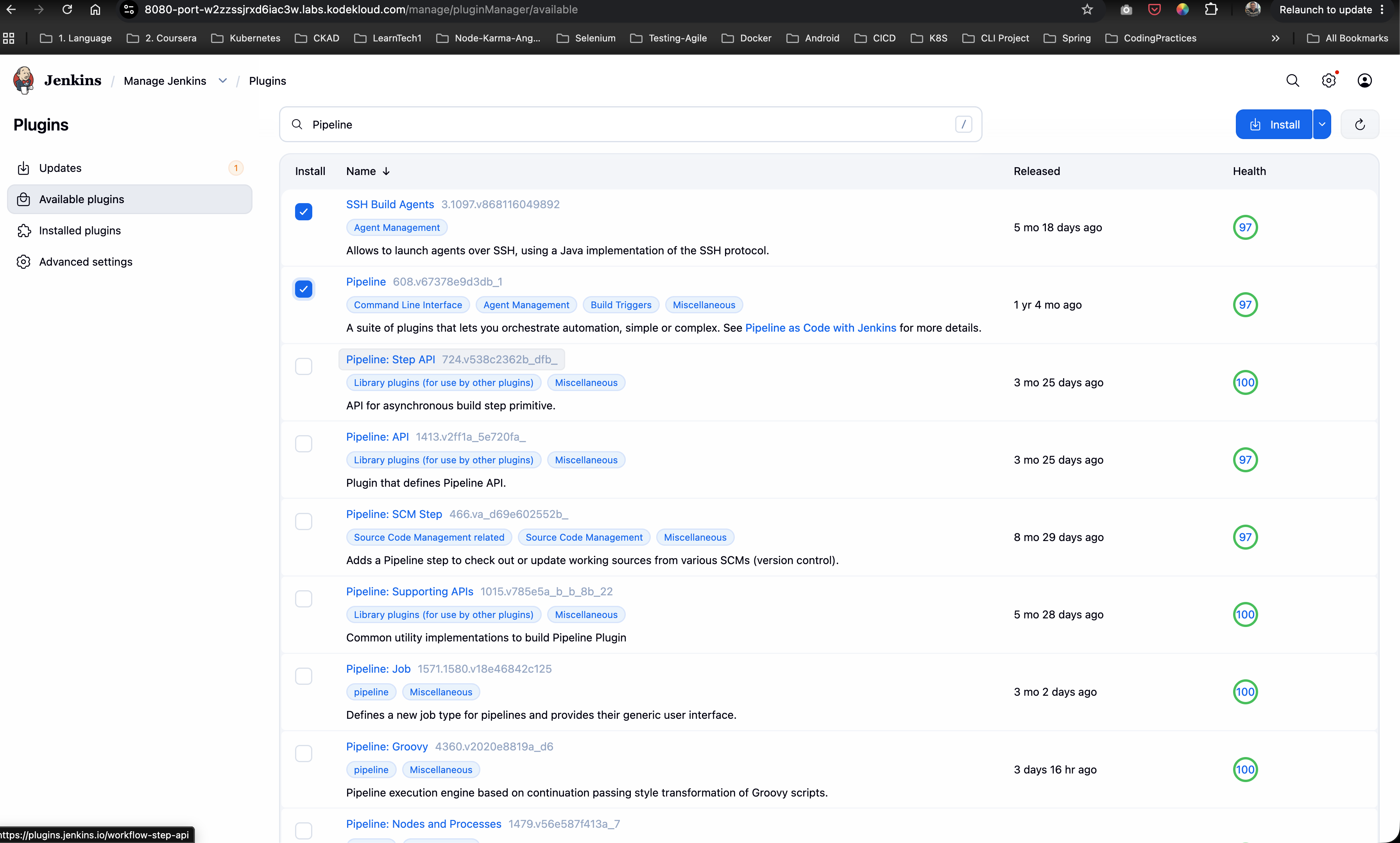
- Navigate to Manage Jenkins -> Plugins -> Installed plugins.
- Verify that the following required plugins are installed:
- SSH Build Agents
- Git plugin
Step 2: Upgrade Java to Version 17 on App Server 1
- Open a terminal on
jumphostand SSH intostapp01as usersarah:
ssh sarah@stapp01
- Check the currently installed Java version:
java --version
Output:
openjdk 11.0.20.1 2023-08-24 LTS
OpenJDK Runtime Environment (Red_Hat-11.0.20.1.1-2) (build 11.0.20.1+1-LTS)
- Upgrade OpenJDK to version 17 using
yum:
sudo yum install java-17-openjdk -y
- Verify that Java 17 is now the default active version:
java --version
Output:
openjdk 17.0.18 2026-01-20 LTS
OpenJDK Runtime Environment (Red_Hat-17.0.18.0.8-2) (build 17.0.18+8-LTS)
OpenJDK 64-Bit Server VM (Red_Hat-17.0.18.0.8-2) (build 17.0.18+8-LTS, mixed mode, sharing)
Step 3: Register App Server 1 as an SSH Build Agent Node
- In the Jenkins dashboard, navigate to Manage Jenkins -> Nodes -> New Node.
- Configure node parameters:
- Node Name:
App Server 1 - Type: Permanent Agent
- Node Name:
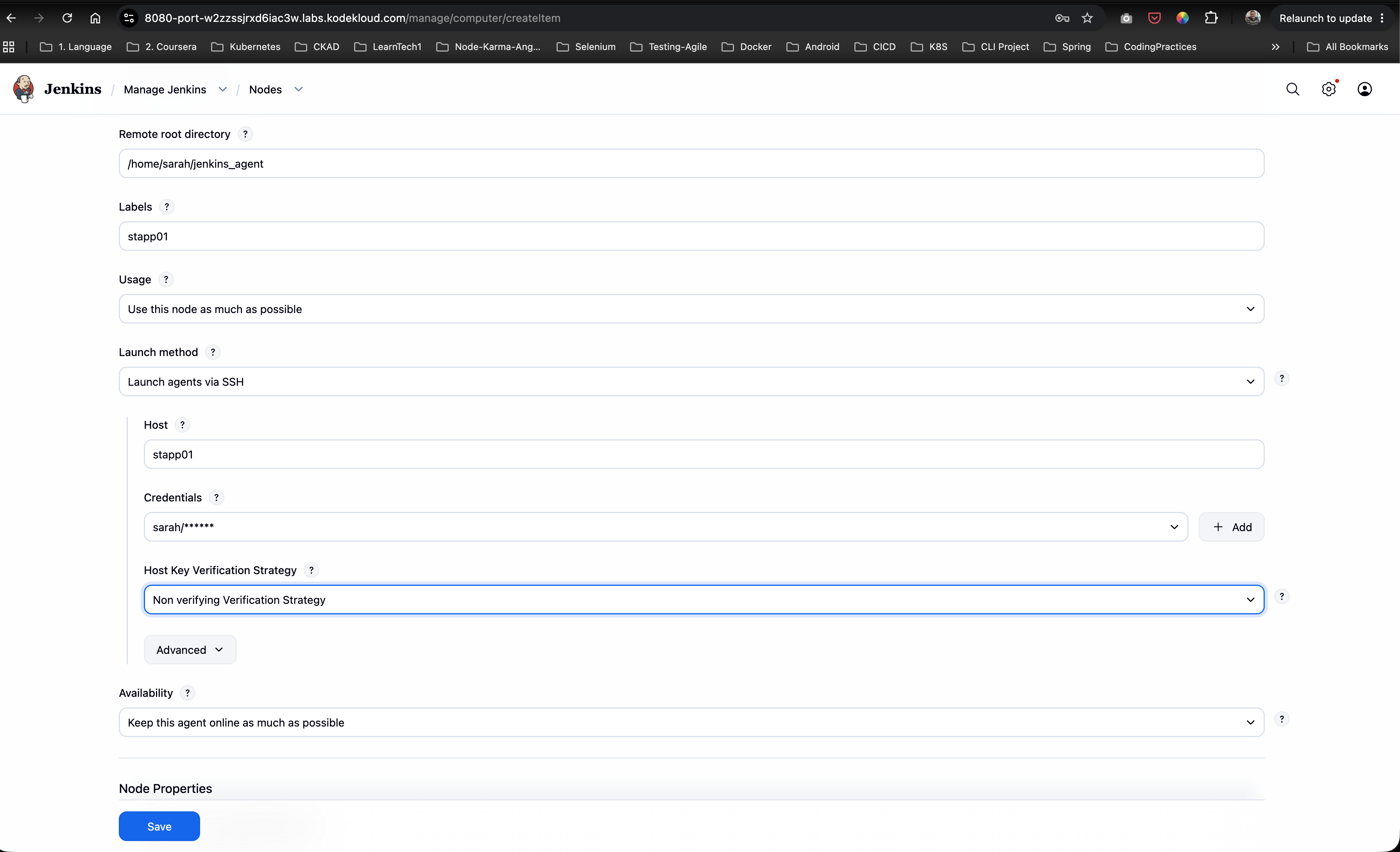
- On the configuration page, set:
- Number of executors:
1or2 - Remote root directory:
/var/www/html - Labels:
stapp01 - Usage: Use this node as much as possible
- Launch method: Launch agents via SSH
- Host:
stapp01 - Credentials: Select or add
sarahSSH credentials - Host Key Verification Strategy: Non-verifying Verification Strategy (or Known hosts)
- Number of executors:
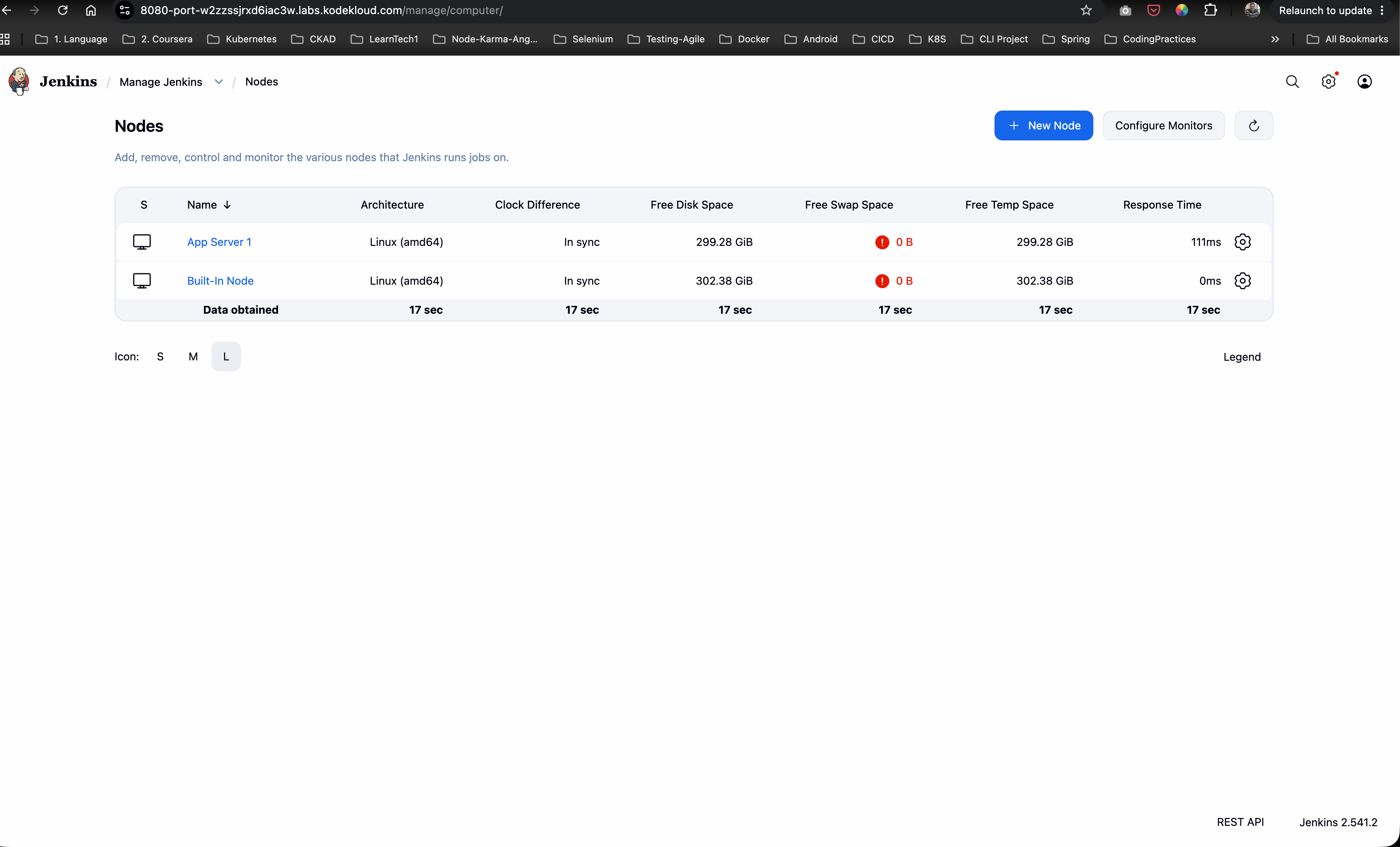
- Click Save, select App Server 1, and click Relaunch Agent.
- Check the agent log to ensure the node completes initialization and status changes to In service / Online.
Step 4: Create & Configure the Jenkins Deployment Job
- From the Jenkins home dashboard, click New Item.
- Enter the job name:
datacenter-app-deployment. - Select Freestyle project and click OK.
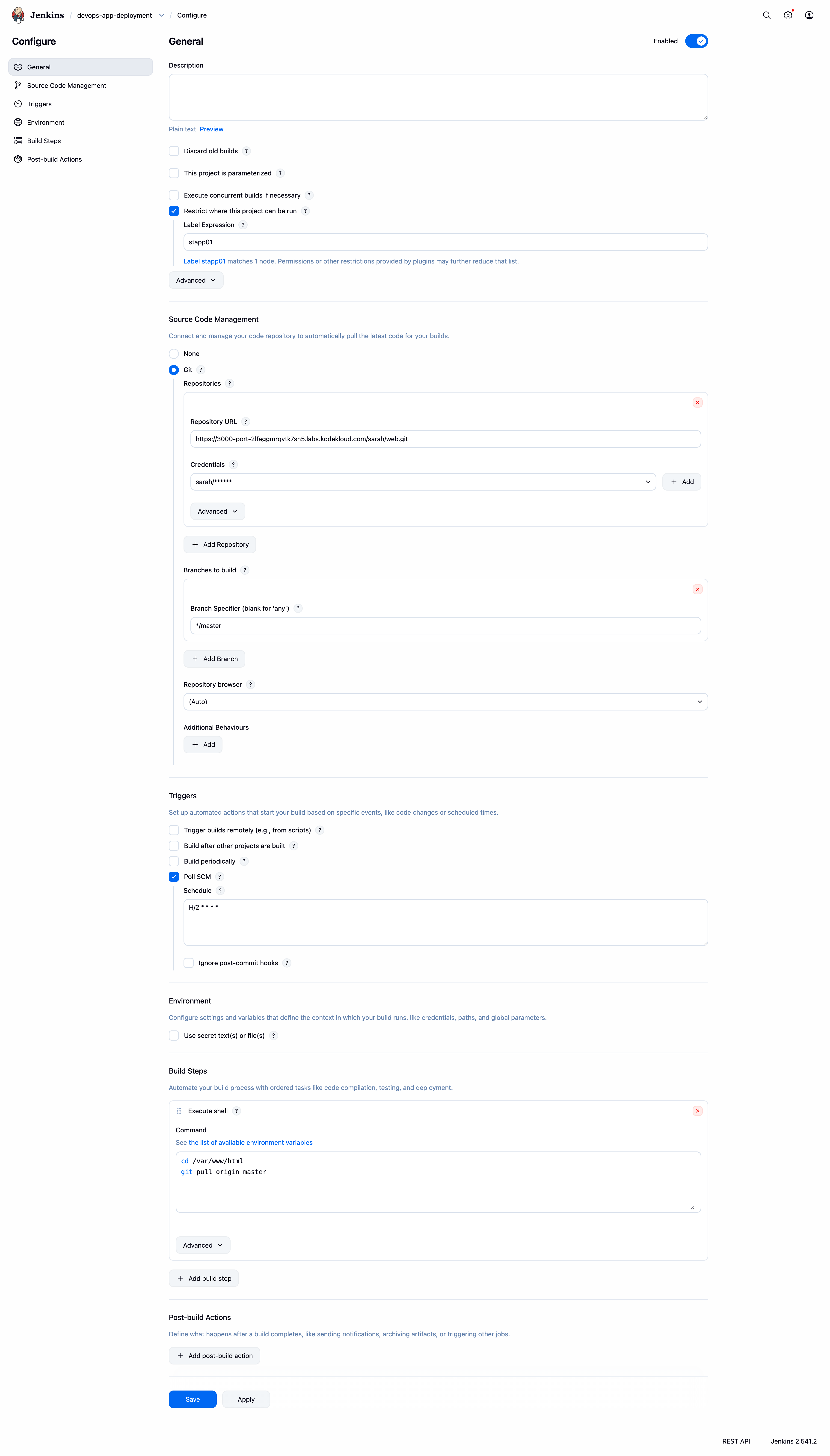
- Under General:
- Check Restrict where this project can be run.
- Set Label Expression:
stapp01.
- Under Source Code Management:
- Select Git.
- Set Repository URL:
http://gitea:3000/sarah/web.git(or configured Git URL). - Set Branch Specifier:
*/master.
- Under Build Triggers:
- Check Poll SCM.
- Set Schedule:
H/2 * * * *(polls repository every 2 minutes).
- Under Build Steps:
- Click Add build step -> Execute shell.
- Enter the deployment commands:
cd /var/www/html
git pull origin master

- Click Save.
Step 5: Verify Permissions and Test Automated Deployment
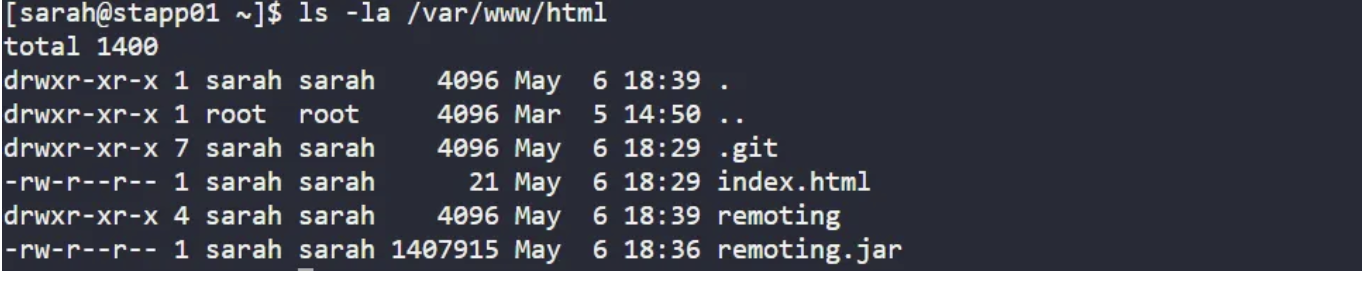
- SSH into
stapp01and verify ownership of/var/www/html:
ls -ld /var/www/html
- If ownership is not set to user
sarah, update permissions recursively:
sudo chown -R sarah:sarah /var/www/html

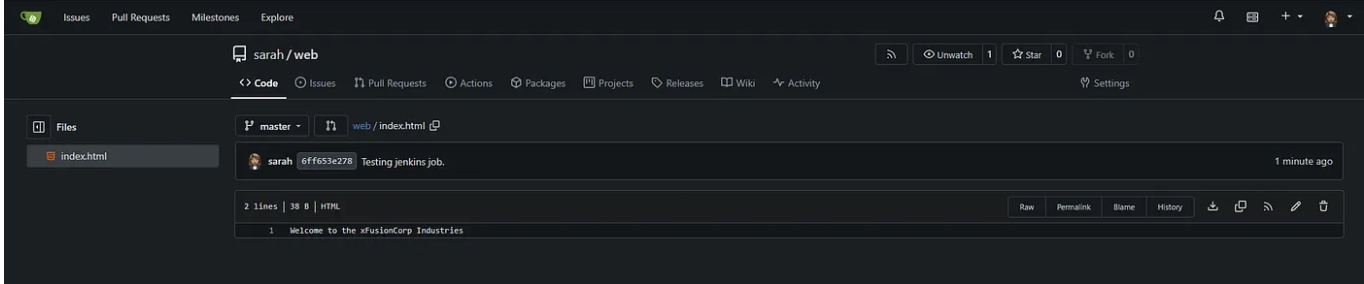
- On
stapp01, navigate to the local repository workspace/home/sarah/weband modifyindex.html:
cd /home/sarah/web
echo "Welcome to the xFusionCorp Industries" > index.html
- Commit and push the changes to remote
master:
git add index.html
git commit -m "Testing jenkins deployment job"
git push origin master
Output:
[master 6ff653e] Testing jenkins deployment job
 1 file changed, 1 insertion(+), 1 deletion(-)
To http://gitea:3000/sarah/web.git
   4d0f926..6ff653e  master -> master

- Wait up to 2 minutes for Jenkins Poll SCM to detect the push.
- Observe Jenkins automatically triggering build #1 (or next build number) for
datacenter-app-deployment.

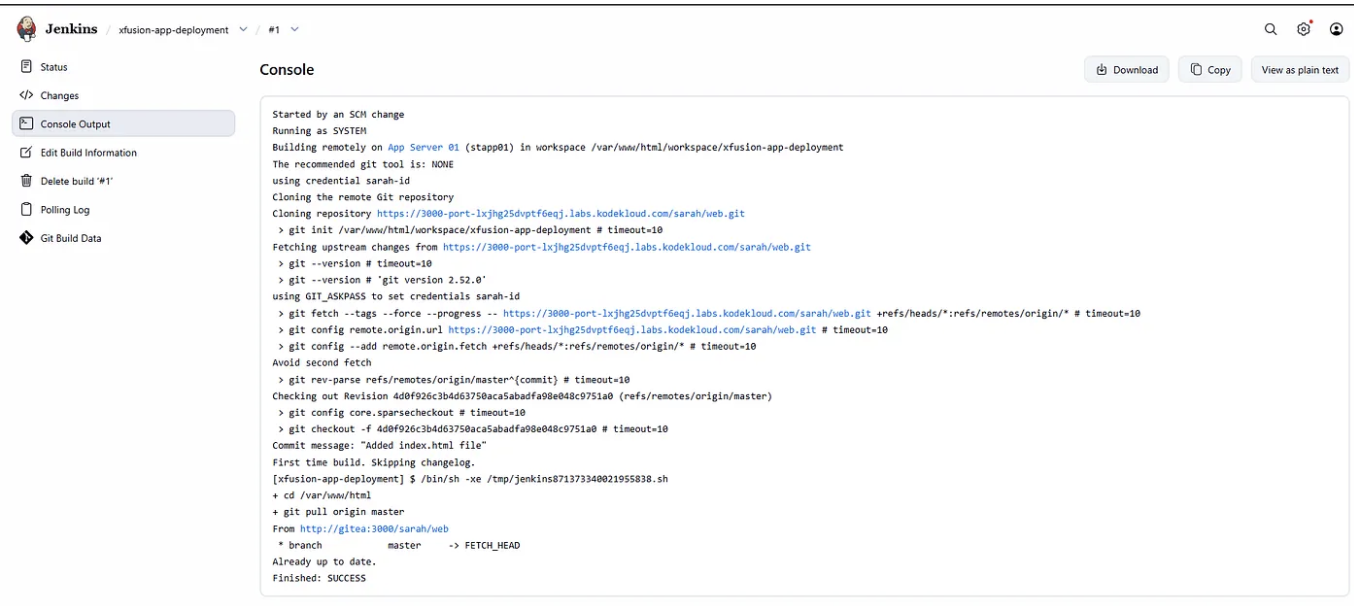
- Open the Console Output for the build and confirm execution:
Started by SCM change
Building remotely on App Server 1 (stapp01) in workspace /var/www/html
[html] $ /bin/sh -xe /tmp/jenkins123456.sh
+ cd /var/www/html
+ git pull origin master
From http://gitea:3000/sarah/web
 * branch            master     -> FETCH_HEAD
Updating 4d0f926..6ff653e
Fast-forward
 index.html | 2 +-
 1 file changed, 1 insertion(+), 1 deletion(-)
Finished: SUCCESS
- Verify document root file contents and HTTP service response:
cat /var/www/html/index.html
curl http://localhost
Response:
Welcome to the xFusionCorp Industries

Verification & Troubleshooting Checklist
| Checkpoint | Expected Result | Status |
|---|---|---|
| Java 17 Version | java -version returns OpenJDK 17 on stapp01 |
PASS |
| SSH Agent Status | Node App Server 1 with label stapp01 is Online |
PASS |
| Directory Ownership | /var/www/html is owned by sarah:sarah |
PASS |
| Freestyle Node Binding | Job restricted to label stapp01 |
PASS |
| Poll SCM Trigger | Scheduled with H/2 * * * * and detects new commit |
PASS |
| Build Execution | git pull origin master completes with status SUCCESS |
PASS |
| Web App Verification | curl or browser returns updated index.html string |
PASS |
Summary
In this challenge, we successfully implemented an automated Continuous Deployment pipeline using Jenkins Poll SCM and an SSH Build Agent Node:
- Upgraded Agent Runtime: Configured
App Server 1(stapp01) with Java 17 to meet Jenkins Remoting prerequisites. - Configured SSH Build Agent: Bound
stapp01as an agent with remote root directory set to/var/www/html. - Automated Continuous Deployment: Built Freestyle job
datacenter-app-deploymentwith Poll SCM (H/2 * * * *) to automatically detect Git updates onmasterbranch and pull latest code straight to Apache’s document root. - Validated End-to-End Execution: Updated
index.htmlin Gitea repository and verified seamless automated deployment and immediate application availability.