dev-ops-challenges
Jenkins Chained Builds
Technical Overview
In enterprise Continuous Integration and Continuous Deployment (CI/CD) pipelines, complex application lifecycles are decoupled into discrete, modular build jobs. Jenkins Chained Builds (also known as Upstream/Downstream build triggers) allow DevOps engineers to chain sequential pipeline tasks together—such as pulling latest application code, running tests, restarting web server daemons, and publishing artifacts—ensuring that downstream tasks execute strictly upon successful completion of upstream dependencies.
In this challenge, we configure a multi-job automated build chain on App Server 1 (stapp01) consisting of two Freestyle projects:
- Upstream Job (
nautilus-app-deployment): Connects to the Gitea Git repository (http://gitea:3000/sarah/web.git), pulls the latest application code from themasterbranch, and updates the web server document root (/var/www/html). - Downstream Job (
manage-services): Triggered automatically upon successful completion ofnautilus-app-deploymentto restart the Apache HTTP Web Server (httpd) daemon onstapp01viasystemctl restart httpd.
Key tasks accomplished:
- Prerequisite & Plugin Verification: Installing required plugins: SSH Build Agents, Git, and Publish Over SSH.
- Java 17 Upgrade & SSH Agent Configuration: SSHing into
stapp01as SSH usertony, upgrading OpenJDK from version 11 to Java 17 (java-17-openjdk), and registeringstapp01as an SSH agent node with remote root/var/www/html. - Upstream Job Setup (
nautilus-app-deployment): Creating a Freestyle project bound to nodestapp01that pulls Git updates into/var/www/htmlwithsudosafe directory configuration. - Downstream Job Setup (
manage-services): Creating a Freestyle project bound tostapp01that executessudo systemctl restart httpd. - Chained Trigger Configuration: Linking
nautilus-app-deploymentto triggermanage-servicespost-build when the upstream build status is stable. - Execution & Verification: Triggering
nautilus-app-deployment, verifying the automated trigger ofmanage-services, and confirming Apache service restart and updated web application content.
graph TD
    subgraph UserAction ["Developer / Admin Trigger"]
        Trigger["Manual Build / SCM Trigger<br/>Build Job 1"]
    end

    subgraph JenkinsController ["Jenkins Controller"]
        Job1["Upstream Job:<br/>nautilus-app-deployment"]
        ChainedTrigger["Post-Build Action:<br/>Trigger manage-services if Stable"]
        Job2["Downstream Job:<br/>manage-services"]
    end

    subgraph AppServer ["App Server 1: stapp01"]
        Java17["Java 17 Runtime<br/>java-17-openjdk"]
        Agent["Jenkins Agent: tony<br/>Remote Root: /var/www/html"]
        WebRoot["Apache Document Root<br/>/var/www/html"]
        Httpd["Apache HTTPD Service<br/>systemctl restart httpd"]
    end

    Trigger -->|"1. Build Now"| Job1
    Job1 -->|"2. Schedule Execution on stapp01"| Agent
    Agent -->|"3. Execute Shell: git pull origin master"| WebRoot
    Job1 -->|"4. Build Status: SUCCESS"| ChainedTrigger
    ChainedTrigger -->|"5. Trigger Downstream Job"| Job2
    Job2 -->|"6. Execute Shell: systemctl restart httpd"| Httpd
    Httpd -->|"7. Serve Updated Web App"| WebRoot
Chained Build Architecture & Upstream/Downstream Strategy
1. Modular Job Decoupling
Decoupling application code retrieval from service management improves pipeline maintenance:
- Single Responsibility Principle: Job 1 (
nautilus-app-deployment) focuses exclusively on SCM code synchronization. Job 2 (manage-services) focuses exclusively on service lifecycle management. - Fail-Safe Execution: The downstream job runs only if the upstream job completes with a SUCCESS (Stable) status. If code retrieval fails, service restart is aborted to prevent serving incomplete states.
2. Sudo Privileges & Git Safe Directory Security
Executing Git commands and systemctl actions under non-root SSH user tony requires privilege elevation:
- Git Safe Directory Exception: Git 2.35.2+ enforces repository ownership checks. When Jenkins runs as user
tonyinside root-owned or shared directories like/var/www/html, Git throwsfatal: detected dubious ownership in repository. Runninggit config --global --add safe.directory /var/www/htmlresolves this security check. - Non-Interactive Sudo Execution: Commands using
sudoinside Jenkins shell build steps pass credentials non-interactively viaecho 'password' | sudo -S <command>.
Infrastructure & Configuration Requirements
- Jenkins Controller Access: Web Browser on port
8080 - Jenkins Admin Credentials:
admin/Adm!n321 - Target Application Server:
App Server 1(stapp01) - Target SSH User:
tony(Password:Ir0nM@n) - Git Repository URL:
http://gitea:3000/sarah/web.git - Required Plugins:
SSH Build Agents,Git,Publish Over SSH
Agent Node & Jobs Configuration Matrix
| Setting | Value |
|---|---|
| Node Name | App Server 1 |
| Node Label | stapp01 |
| Remote Root Directory | /var/www/html |
| Launch Method | Launch agents via SSH |
| Host | stapp01 |
| Credentials | tony (SSH Username & Password) |
| Upstream Job Name | nautilus-app-deployment |
| Upstream Build Step | echo 'Ir0nM@n' \| sudo -S git config --global --add safe.directory /var/www/htmlcd /var/www/htmlecho 'Ir0nM@n' \| sudo -S git -C /var/www/html pull origin master |
| Upstream Post-Build Action | Build other projects: manage-services |
| Downstream Job Name | manage-services |
| Downstream Build Step | echo 'Ir0nM@n' \| sudo -S systemctl restart httpd |
| Downstream Trigger | Build after other projects are built (nautilus-app-deployment) |
Step-by-Step Walkthrough
Step 1: Log in to Jenkins & Install Prerequisites
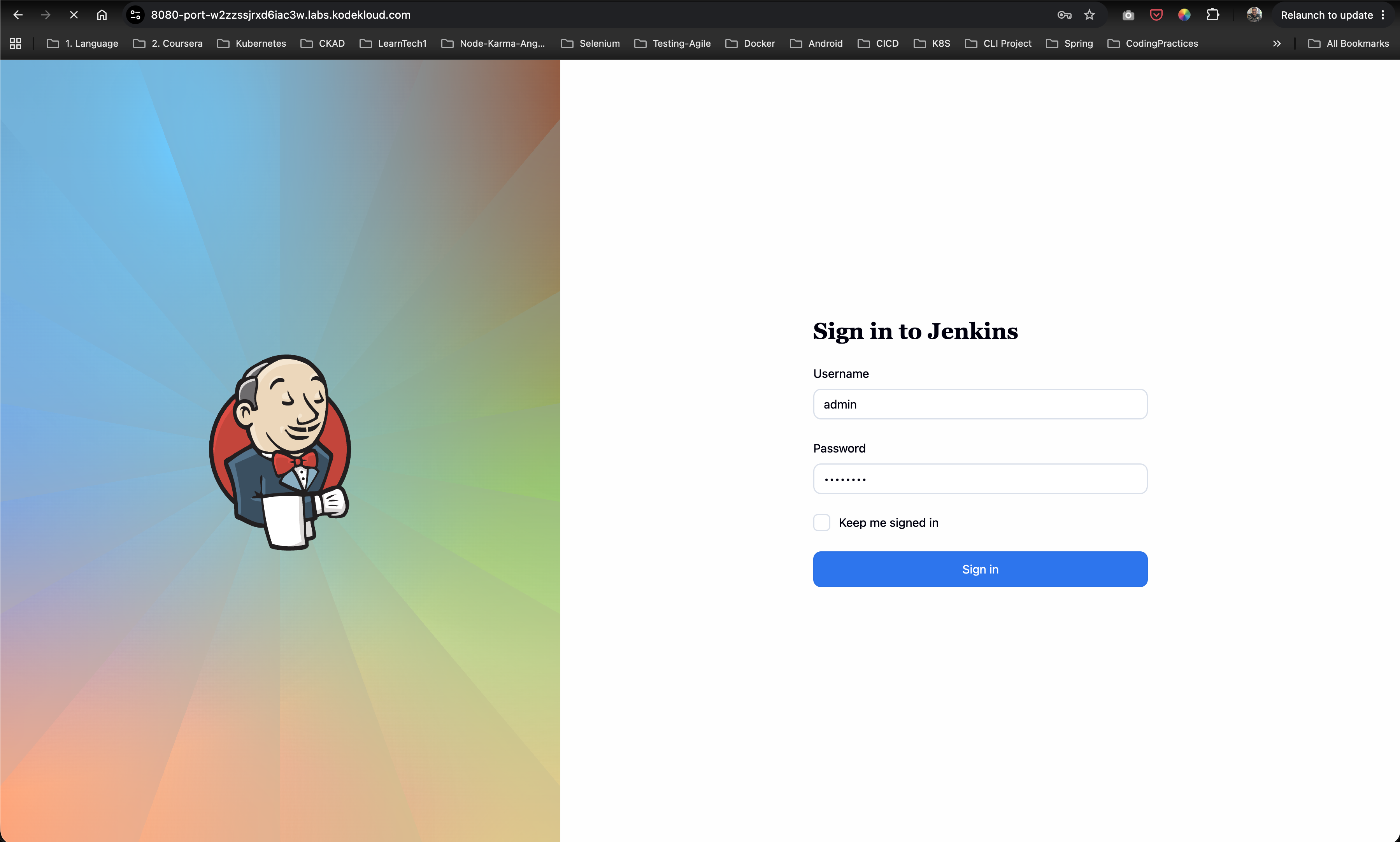
- Open your browser and navigate to the Jenkins interface.
- Sign in with administrative credentials:
- Username:
admin - Password:
Adm!n321
- Username:
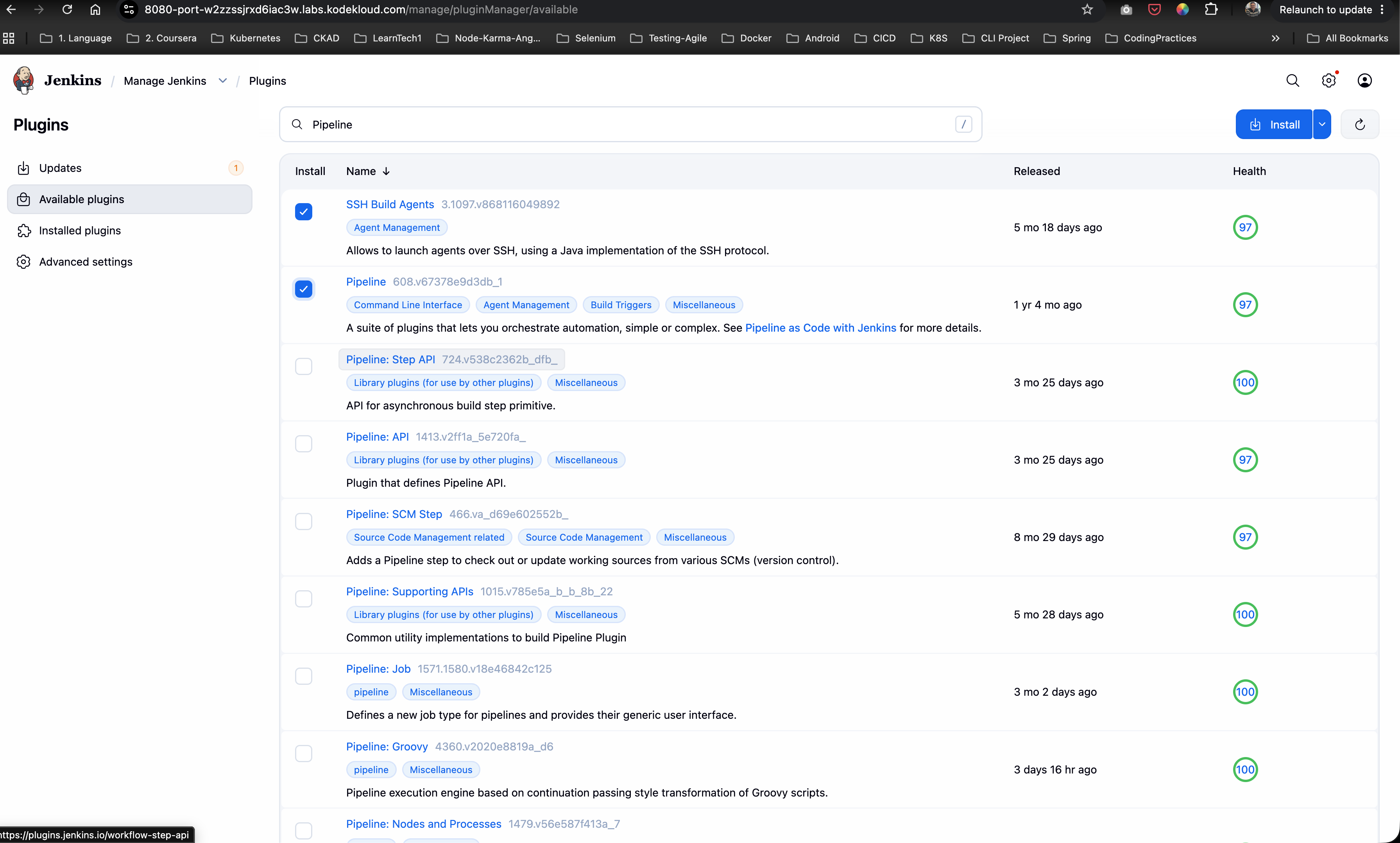
- Navigate to Manage Jenkins -> Plugins -> Available plugins (or Installed plugins).
- Install and enable the required plugins:
- SSH Build Agents
- Git plugin
- Publish Over SSH
Step 2: Upgrade Java to Version 17 on stapp01 & Add Agent Node
- SSH into
stapp01server as usertonyfromjumphost:
ssh tony@stapp01
- Check the currently installed OpenJDK version:
java --version
Output:
openjdk 11.0.20.1 2023-08-24 LTS
OpenJDK Runtime Environment (Red_Hat-11.0.20.1.1-2) (build 11.0.20.1+1-LTS)
- Upgrade OpenJDK to version 17 using
yum:
sudo yum install java-17-openjdk -y
- Verify Java 17 installation:
java --version
Output:
openjdk 17.0.18 2026-01-20 LTS
OpenJDK Runtime Environment (Red_Hat-17.0.18.0.8-2) (build 17.0.18+8-LTS)
- In the Jenkins dashboard, navigate to Manage Jenkins -> Nodes -> New Node.
- Set:
- Node Name:
App Server 1 - Type: Permanent Agent
- Node Name:
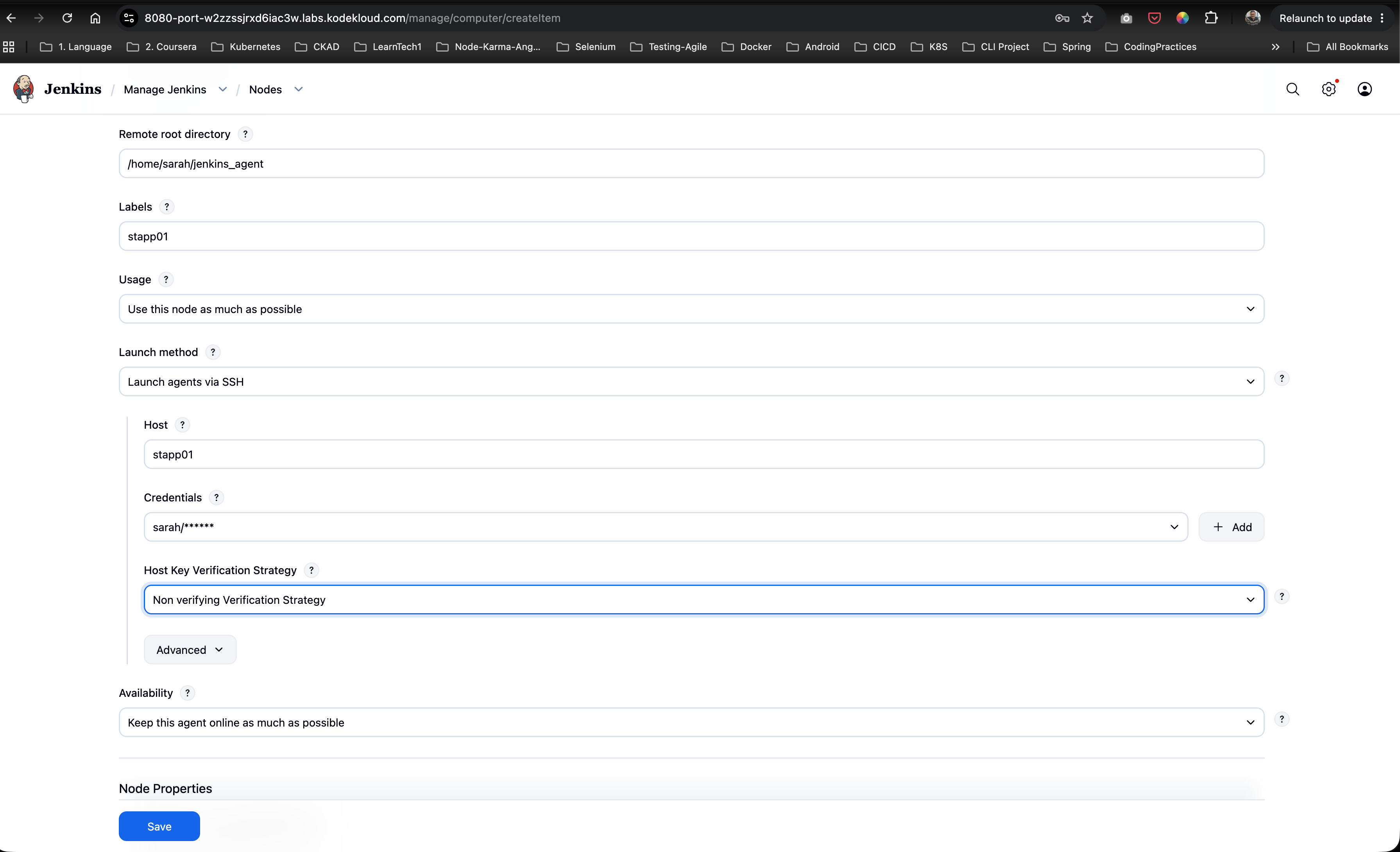
- On the configuration page, specify:
- Remote root directory:
/var/www/html - Labels:
stapp01 - Launch method: Launch agents via SSH
- Host:
stapp01 - Credentials: Add/Select
tonycredentials - Host Key Verification Strategy: Non-verifying Verification Strategy
- Remote root directory:
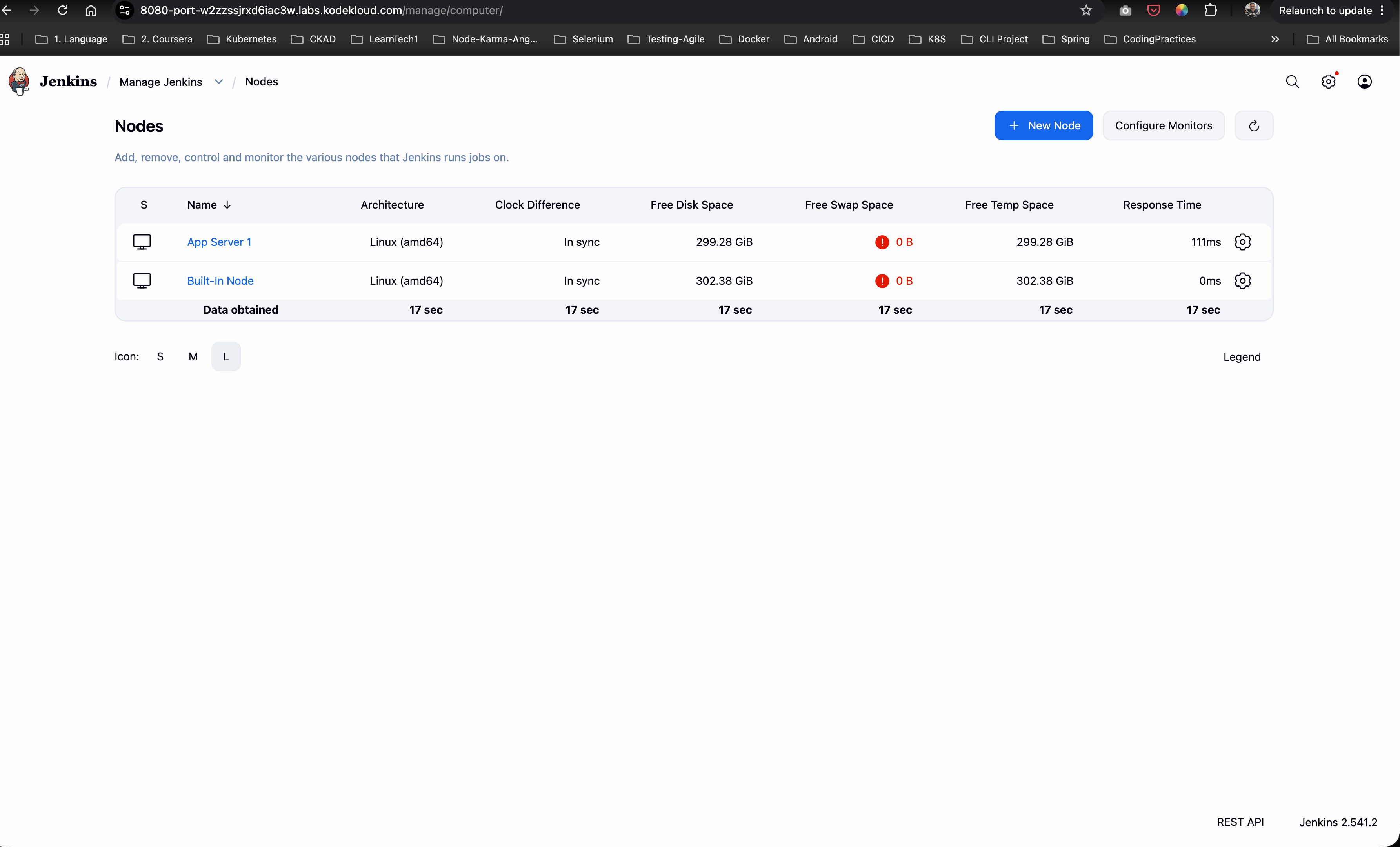
- Save and relaunch the agent. Confirm that
App Server 1status changes to In service / Online.
Step 3: Create Upstream Job (nautilus-app-deployment)
- From the Jenkins dashboard, click New Item.
- Enter item name:
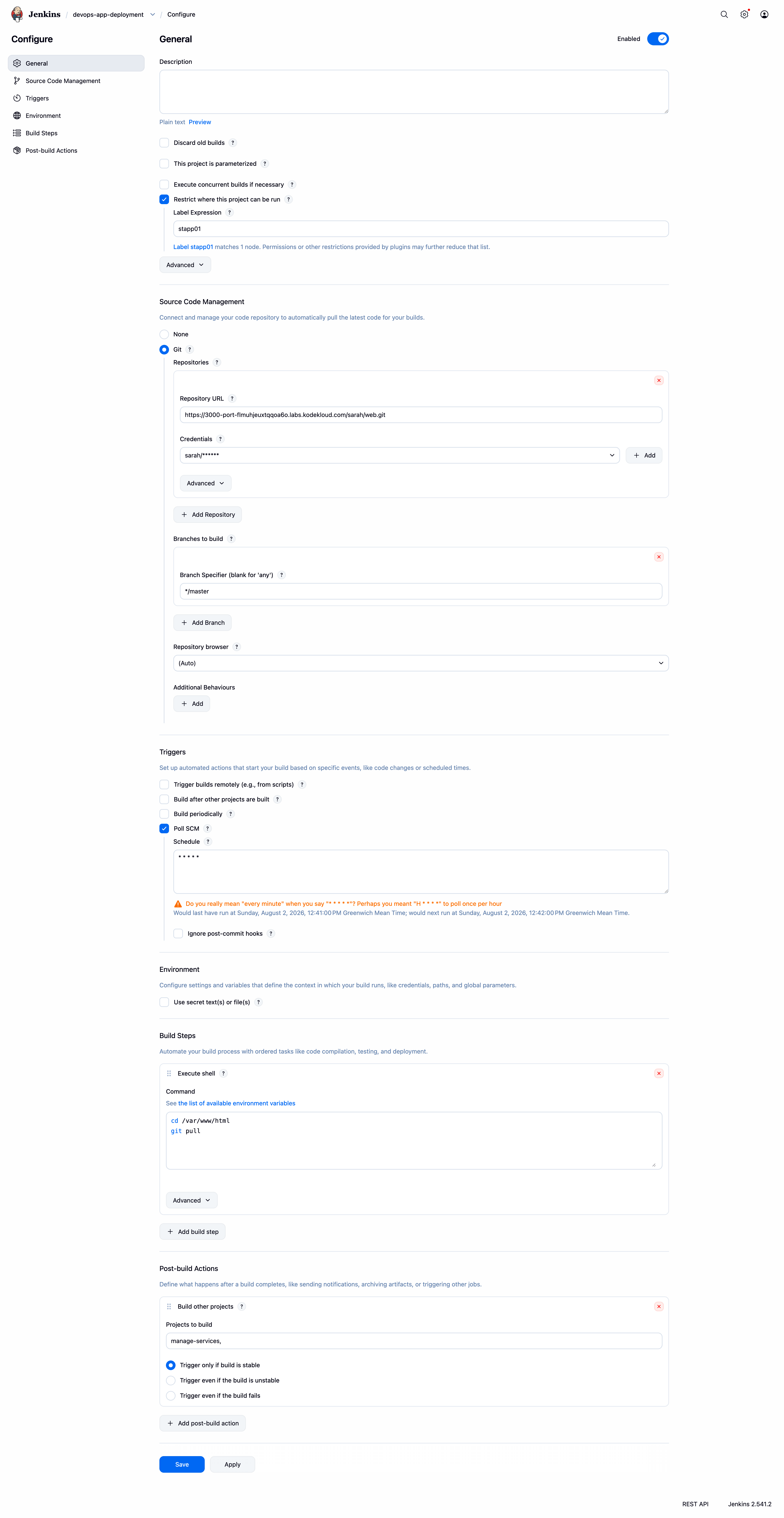
nautilus-app-deploymentand select Freestyle project. - Under General:
- Check Restrict where this project can be run.
- Set Label Expression:
stapp01.
- Under Source Code Management:
- Select Git.
- Set Repository URL:
http://gitea:3000/sarah/web.git - Set Branch Specifier:
*/master
- Under Build Steps:
- Add Execute shell and enter:
echo 'Ir0nM@n' | sudo -S git config --global --add safe.directory /var/www/html
cd /var/www/html
echo 'Ir0nM@n' | sudo -S git -C /var/www/html pull origin master
- Save the job configuration.
Step 4: Create Downstream Job (manage-services)
- Click New Item on the Jenkins home page.
- Enter item name:
manage-servicesand select Freestyle project. - Under General:
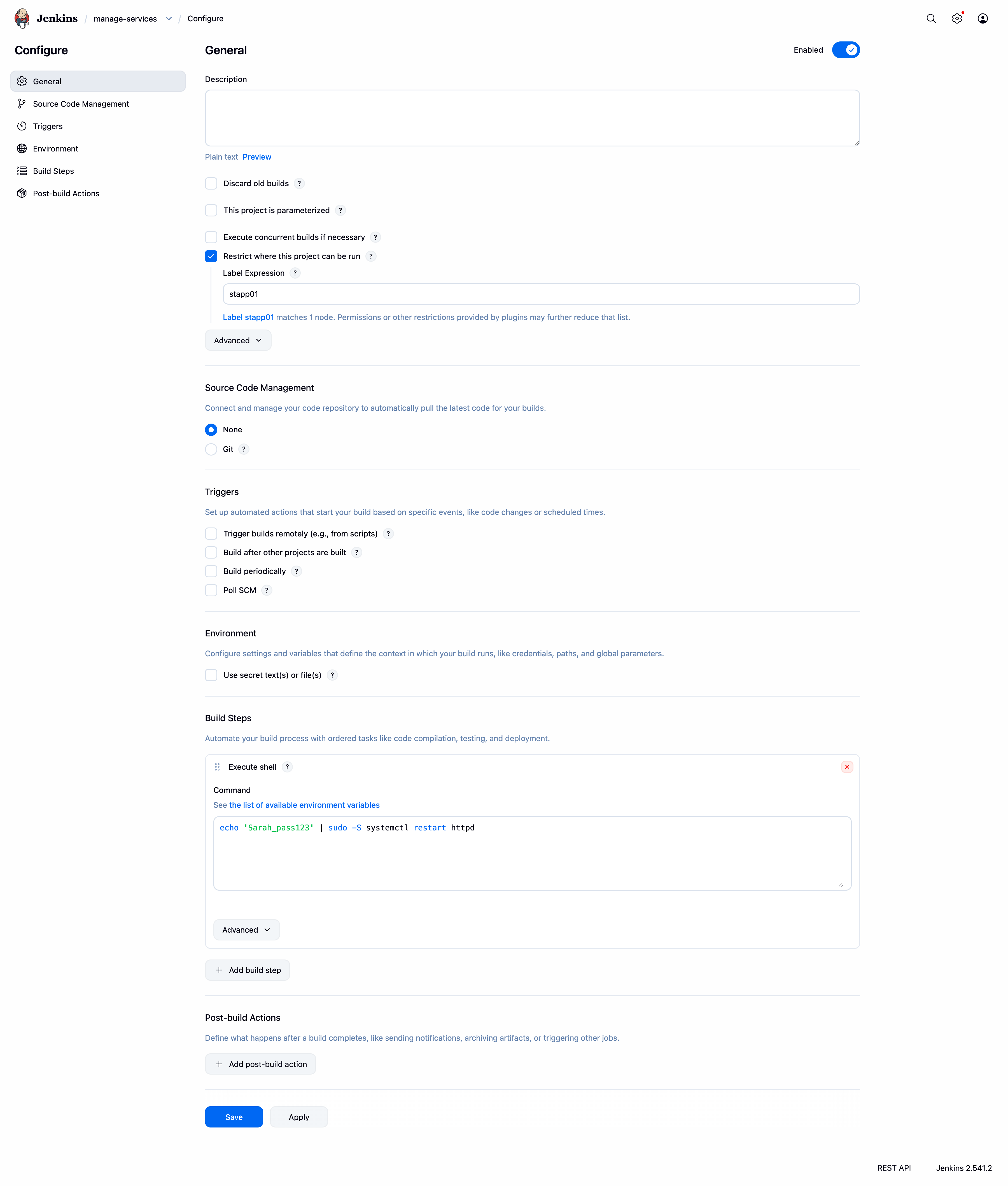
- Check Restrict where this project can be run.
- Set Label Expression:
stapp01.
- Under Build Steps:
- Add Execute shell and enter:
echo 'Ir0nM@n' | sudo -S systemctl restart httpd

- Save the job configuration.
Step 5: Configure Chained Build Trigger Relationship
- Open the configuration for
nautilus-app-deployment. - Scroll to Post-build Actions.
- Click Add post-build action -> Build other projects.
- Set Projects to build:
manage-services. - Check Trigger only if build is stable.

- Save the configuration.
Step 6: Test Chained Build Trigger & Verify Service Restart
- Navigate to
nautilus-app-deploymentand click Build Now.

- Inspect the Console Output of
nautilus-app-deployment(Build #1):
Started by user admin
Building remotely on App Server 1 (stapp01) in workspace /var/www/html
[html] $ /bin/sh -xe /tmp/jenkins123456.sh
+ echo Ir0nM@n
+ sudo -S git config --global --add safe.directory /var/www/html
+ cd /var/www/html
+ echo Ir0nM@n
+ sudo -S git -C /var/www/html pull origin master
Already up to date.
Triggering a new build of manage-services
Finished: SUCCESS
- Verify that
manage-serviceswas triggered automatically and executed Build #1:
Started by upstream project "nautilus-app-deployment" build number 1
originally caused by:
 Started by user admin
Building remotely on App Server 1 (stapp01) in workspace /var/www/html
[html] $ /bin/sh -xe /tmp/jenkins654321.sh
+ echo Ir0nM@n
+ sudo -S systemctl restart httpd
Finished: SUCCESS

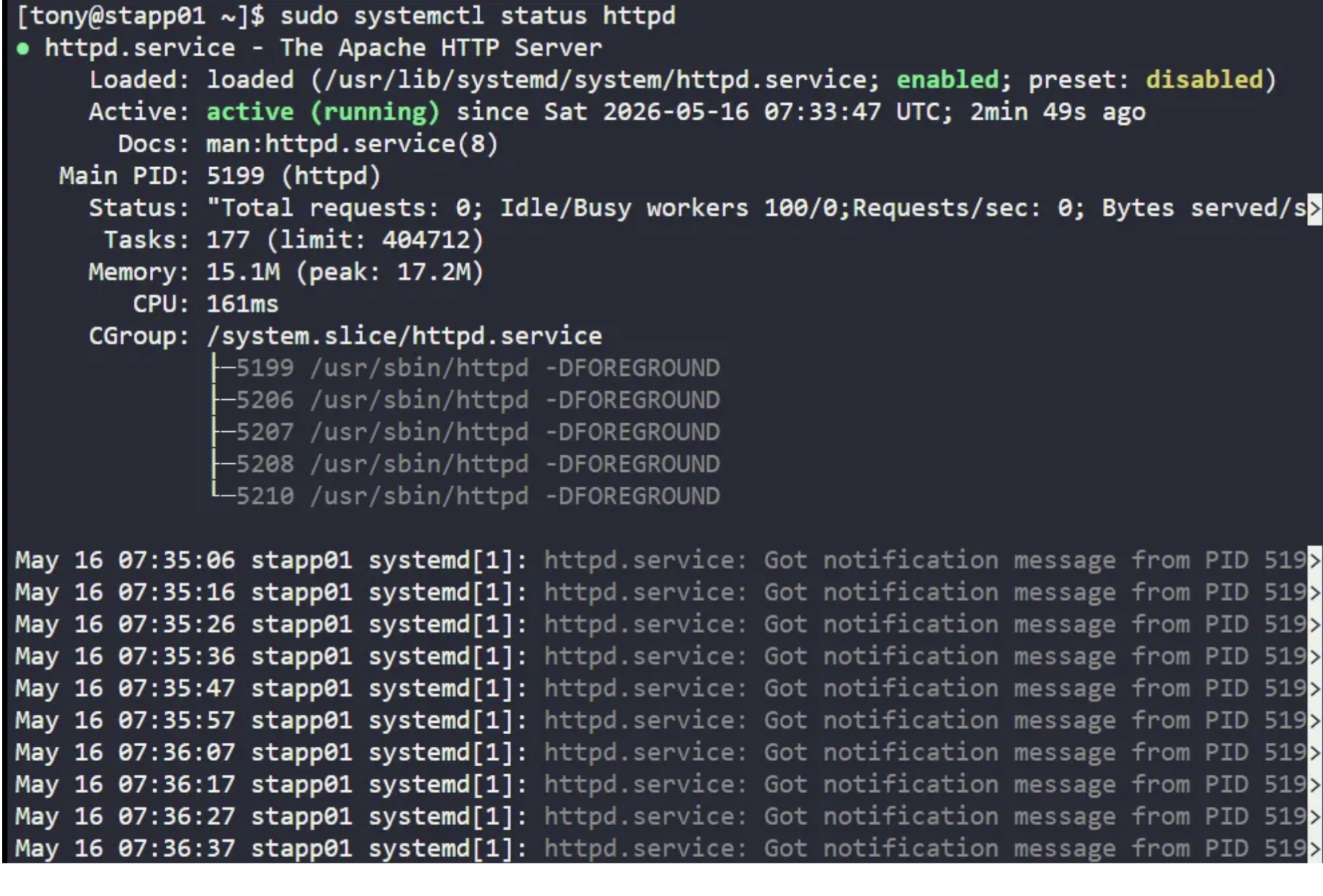
- On
stapp01, verify Apache HTTPD service uptime and test web content:
systemctl status httpd
curl http://localhost
Troubleshooting & Sudo Privileges Tip
[!TIP] If build execution fails with
sudo: a password is requiredorpermission denied, verify:
- User
tonyis configured in/etc/sudoersor/etc/sudoers.d/with passwordless sudo access or valid password injection (echo 'password' | sudo -S <cmd>).- The target web directory
/var/www/htmlallows write access to usertonyor git operations are run withsudo.
Verification & Troubleshooting Checklist
| Checkpoint | Expected Result | Status |
|---|---|---|
| Java 17 Runtime | java --version returns OpenJDK 17 on stapp01 |
PASS |
| SSH Build Agent | Node App Server 1 with label stapp01 is Online |
PASS |
| Upstream Job Setup | nautilus-app-deployment runs git pull successfully |
PASS |
| Chained Trigger Action | Post-build action configured to trigger manage-services |
PASS |
| Downstream Execution | manage-services triggers automatically on upstream success |
PASS |
| Service Lifecycle | systemctl restart httpd executes clean with status SUCCESS |
PASS |
| Application Integrity | curl http://localhost returns valid active response |
PASS |
Summary
In this challenge, we successfully established an automated Jenkins Chained Build pipeline across multiple Freestyle jobs:
- Prepared Node Infrastructure: Upgraded Java runtime to Java 17 on
stapp01and registered the server as an SSH Build Agent using credentials for usertony. - Configured Upstream Deployment Job: Built
nautilus-app-deploymentto pull the latest application code from Gitea into Apache’s document root/var/www/html. - Configured Downstream Service Job: Built
manage-servicesto restart Apache (httpd) via non-interactivesudo systemctl restart httpd. - Established Pipeline Trigger: Connected upstream job post-build actions to automatically invoke downstream service management upon stable build completion.
- Verified End-to-End Execution: Tested manual build trigger and confirmed automatic cascading execution, web service restart, and live app response.