dev-ops-challenges
Jenkins Multistage Pipeline
Technical Overview
Modern Continuous Integration and Continuous Deployment (CI/CD) pipelines enforce software quality by structuring build workflows into distinct, sequential stages. Jenkins Multistage Declarative Pipelines allow DevOps engineers to define end-to-end delivery pipelines as code, separating deployment logic from automated health check testing. If a failure occurs in an early stage (such as deployment), execution is halted immediately, preventing downstream tests from running on an unstable release.
In this challenge, we build a multi-stage Declarative Pipeline job named deploy-job targeting App Server 1 (stapp01). The pipeline incorporates two core stages:
- Deploy Stage: Connects to the target node (
stapp01), navigates to Apache’s web document root (/var/www/html), and pulls the latest application code from the Gitea Git repository (masterbranch). - Test Stage: Performs an automated HTTP health check against the application URL using
curl --fail --silent --show-error. If the web server returns an HTTP error or is unreachable, the stage throws an error and fails the pipeline.
Key tasks accomplished:
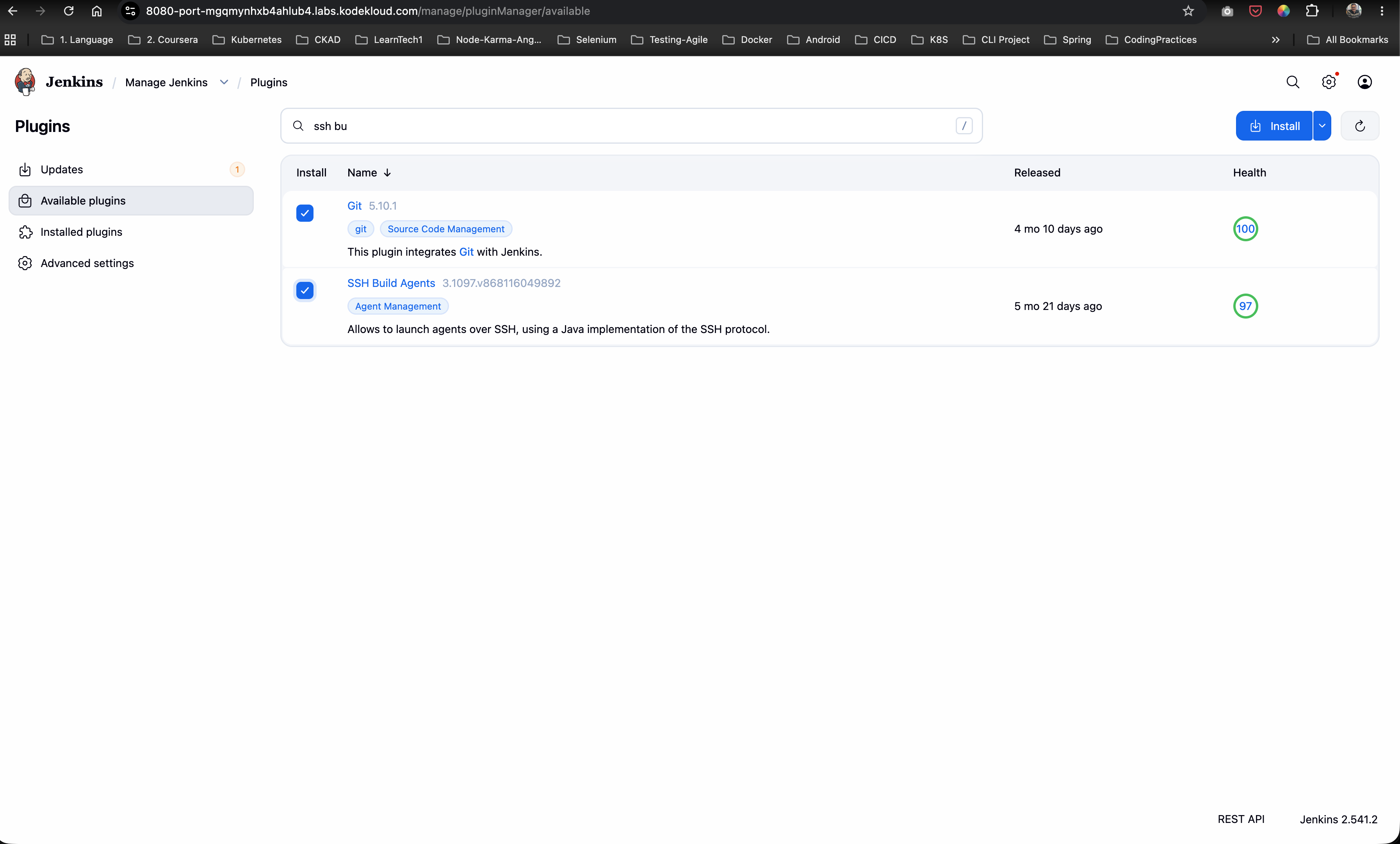
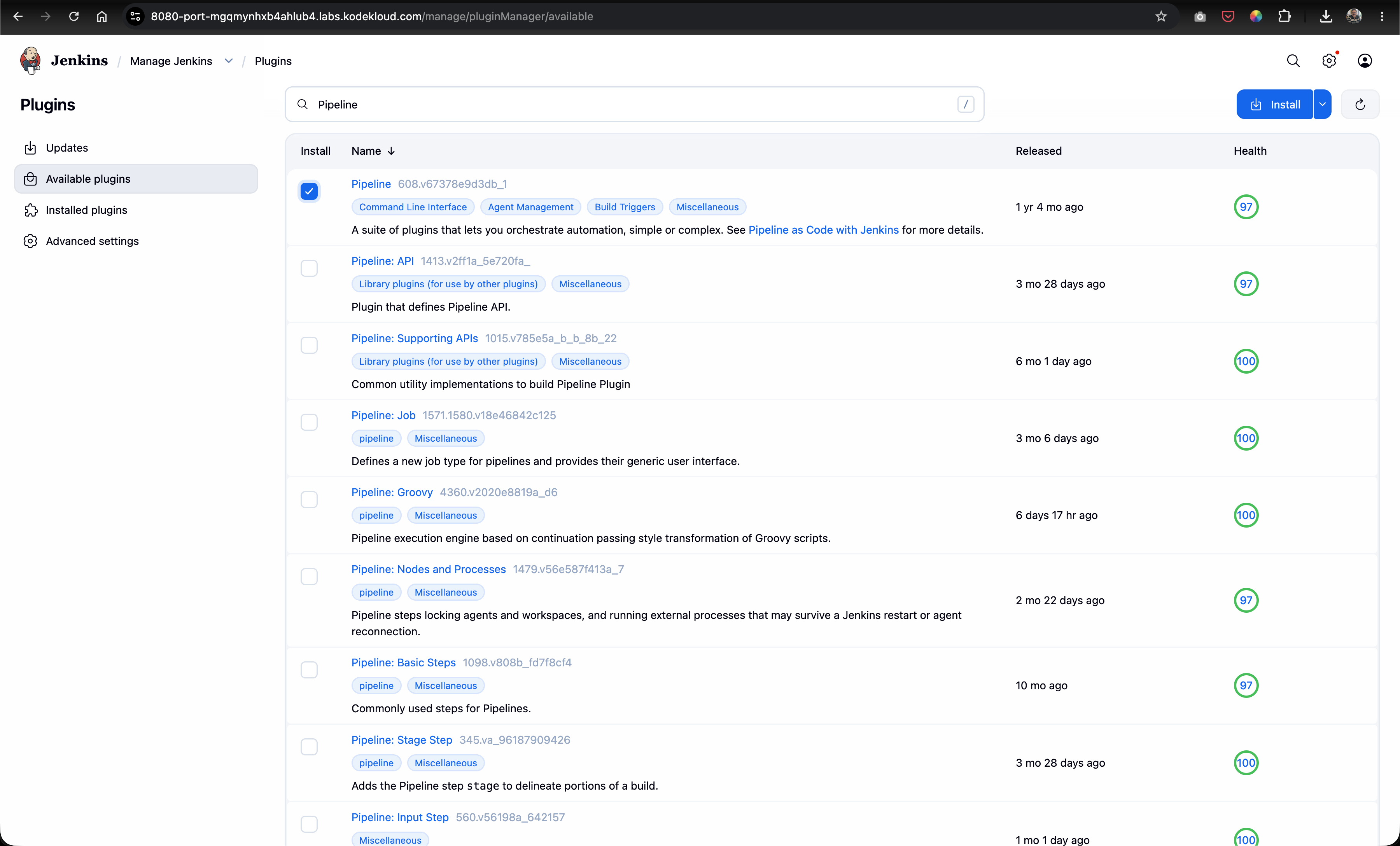
- Plugin Prerequisite Verification: Installing required plugins: SSH Build Agents and Pipeline.
- Secret & Credentials Setup: Adding SSH credentials for user
sarahunder Jenkins Global Credentials management to enable secure agent authentication. - Java 17 Upgrade & SSH Agent Setup: SSHing into
stapp01as SSH usersarah, upgrading OpenJDK 11 to Java 17 (java-17-openjdk), and registeringstapp01as an SSH agent node with remote root/home/sarah/jenkins_agent. - Multistage Declarative Pipeline Scripting: Writing a Groovy pipeline script (
deploy-job) bound to labelstapp01with explicitDeployandTeststages. - Automated Health Check Integration: Incorporating a fail-fast health test via
curlin theTeststage. - End-to-End Execution & Validation: Updating application content (
Welcome to xFusionCorp Industries) in Gitea, triggeringdeploy-job, and verifying stage completion in Jenkins Stage View.
graph TD
    subgraph SCM ["Gitea Source Control"]
        GitRepo["Git Repository: sarah/web.git<br/>Branch: master"]
    end

    subgraph JenkinsController ["Jenkins Controller"]
        Credentials["Jenkins Store<br/>Secret Credentials for sarah"]
        PipelineJob["Declarative Pipeline:<br/>deploy-job"]
        StageView["Jenkins Stage View<br/>Deploy and Test Stages"]
    end

    subgraph AppServer ["App Server 1: stapp01"]
        Java17["Java 17 Runtime<br/>java-17-openjdk"]
        Agent["Jenkins Agent: sarah<br/>Remote Root: /home/sarah/jenkins_agent"]
        WebRoot["Apache Web Root<br/>/var/www/html"]
        Apache["Apache Web Server<br/>Port 8091"]
    end

    Credentials -->|"Authenticate SSH Agent"| Agent
    GitRepo -->|"1. Commit and Push Code"| PipelineJob
    PipelineJob -->|"2. Schedule Execution on stapp01"| Agent
    Agent -->|"3. Stage 1: Deploy - git pull origin master"| WebRoot
    WebRoot -->|"4. Stage 2: Test - curl --fail APP_URL"| Apache
    Apache -->|"5. HTTP 200 OK Response"| StageView
Multistage Pipeline Architecture & Testing Strategy
1. Declarative Pipeline DSL Structure
Declarative Pipelines organize execution blocks clearly:
pipeline { ... }: Root wrapper for the pipeline workflow.agent { label 'stapp01' }: Restricts execution of all pipeline stages to agent nodes carrying labelstapp01.environment { ... }: Defines global pipeline variables (e.g.,APP_URL,REPO_URL,DEPLOY_DIR).stages { ... }: Encloses sequentialstageblocks (Deploy,Test).
pipeline {
    agent {
        label 'stapp01'
    }
    environment {
        APP_URL     = 'http://stapp01:8091/'
        REPO_URL    = 'http://gitea:3000/sarah/web.git'
        DEPLOY_DIR  = '/var/www/html'
    }
    stages {
        stage ('Deploy') {
            steps {
                sh """
                    cd ${DEPLOY_DIR}
                    git pull origin master
                """
            }
        }

        stage ('Test') {
            steps {
                sh """
                    echo 'Testing ${APP_URL}...'
                    sleep 5
                    curl --fail --silent --show-error ${APP_URL} || (echo 'APPLICATION IS DOWN' && exit 1)
                """
            }
        }
    }
}
2. Fail-Fast Health Check Mechanisms
The Test stage uses specific curl flags to guarantee deployment verification:
--fail(-f): Causescurlto return exit code22on HTTP error status codes (4xx/5xx).--silent(-s): Suppresses transfer progress bars while preserving error messages when paired with--show-error(-S).|| (echo 'APPLICATION IS DOWN' && exit 1): Catches network timeouts or HTTP errors, prints a failure message to the console log, and explicitly exits with code1to fail the build.
Infrastructure & Configuration Requirements
- Jenkins Controller Access: Web Browser on port
8080 - Jenkins Admin Credentials:
admin/Adm!n321 - Target Application Server:
App Server 1(stapp01) - SSH Credentials:
sarah(username & password) - Git Repository URL:
http://gitea:3000/sarah/web.git - Required Plugins:
SSH Build Agents,Pipeline
Pipeline & Node Matrix
| Setting | Value |
|---|---|
| Node Name | App Server 1 |
| Node Label | stapp01 |
| Remote Root Directory | /home/sarah/jenkins_agent |
| Agent Launch Method | Launch agents via SSH |
| Host | stapp01 |
| Credentials | sarah (SSH Username & Password) |
| Pipeline Job Name | deploy-job |
| Pipeline Stages | Deploy, Test |
| Deploy Target Directory | /var/www/html |
| Test Endpoint | Application HTTP Web URL |
Step-by-Step Walkthrough
Step 1: Log in to Jenkins & Verify Installed Plugins
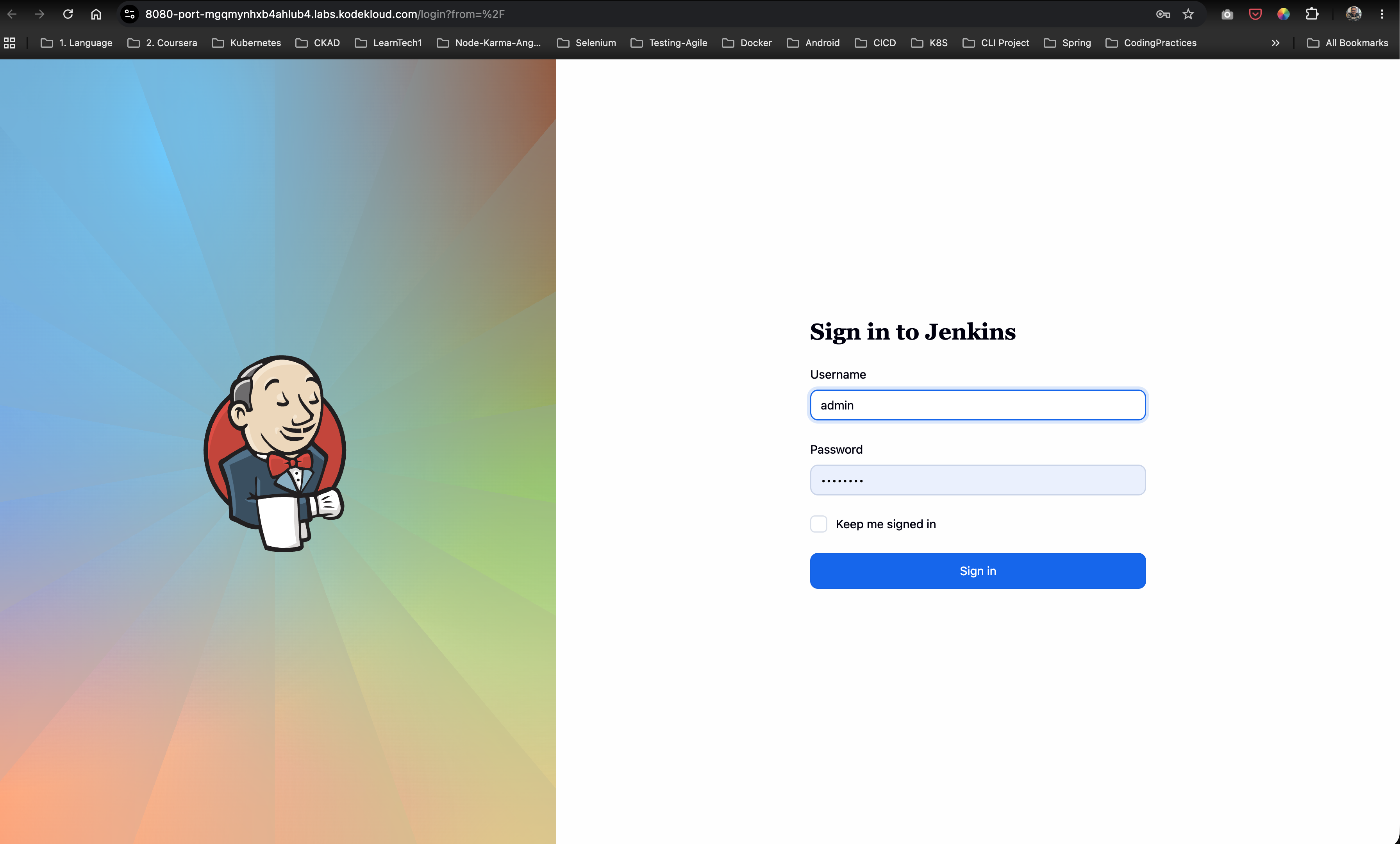
- Access the Jenkins dashboard in your browser.
- Sign in with administrative credentials:
- Username:
admin - Password:
Adm!n321
- Username:
- Navigate to Manage Jenkins -> Plugins -> Installed plugins.
- Verify that the following plugins are installed and active:
- SSH Build Agents
- Pipeline
Step 2: Configure Jenkins Credentials / Secret for Agent Node
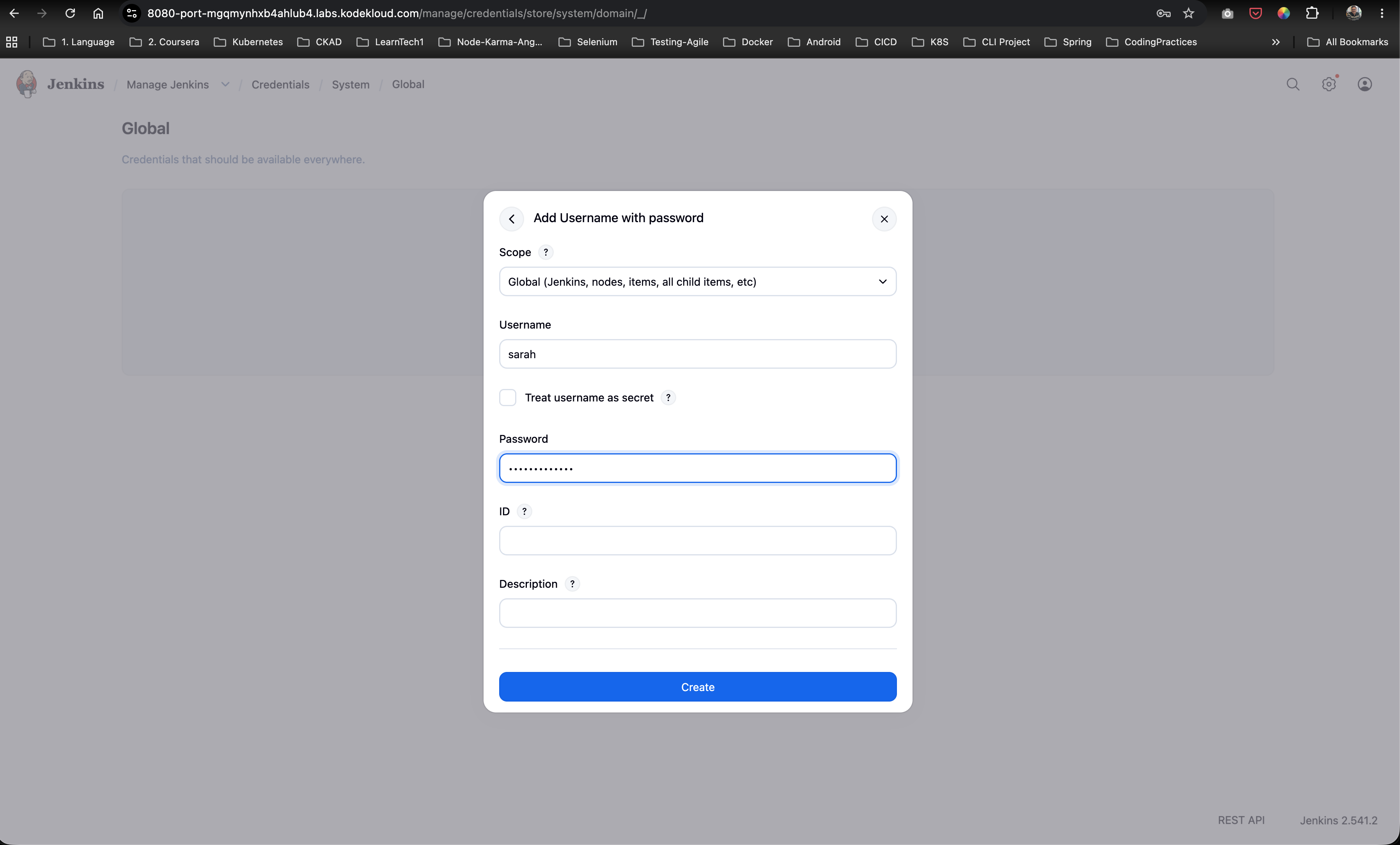
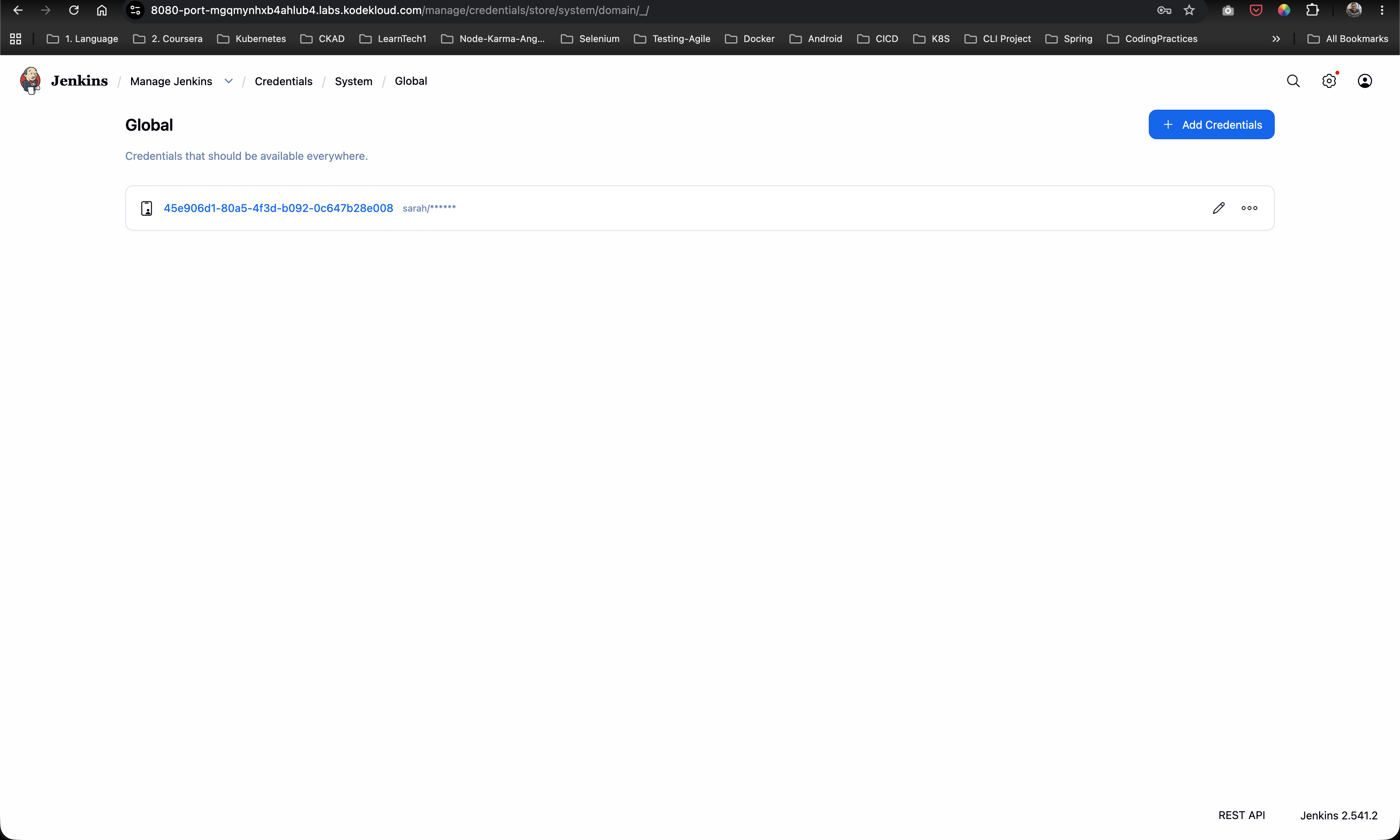
- In the Jenkins left sidebar, navigate to Manage Jenkins -> Credentials.
- Select the System domain and click Global credentials (unrestricted).
- Click Add Credentials in the top-right corner.
- Configure the credential fields:
- Kind: Username with password (or Secret text / SSH Username with private key)
- Scope: Global (Jenkins, nodes, items, all child items)
- Username:
sarah - Password: Enter password for user
sarah - ID:
sarah - Description:
SSH Credentials for sarah on App Server 1
- Click Create to store the secret credentials.
Step 3: Upgrade Java to Version 17 on stapp01 & Configure Agent Node
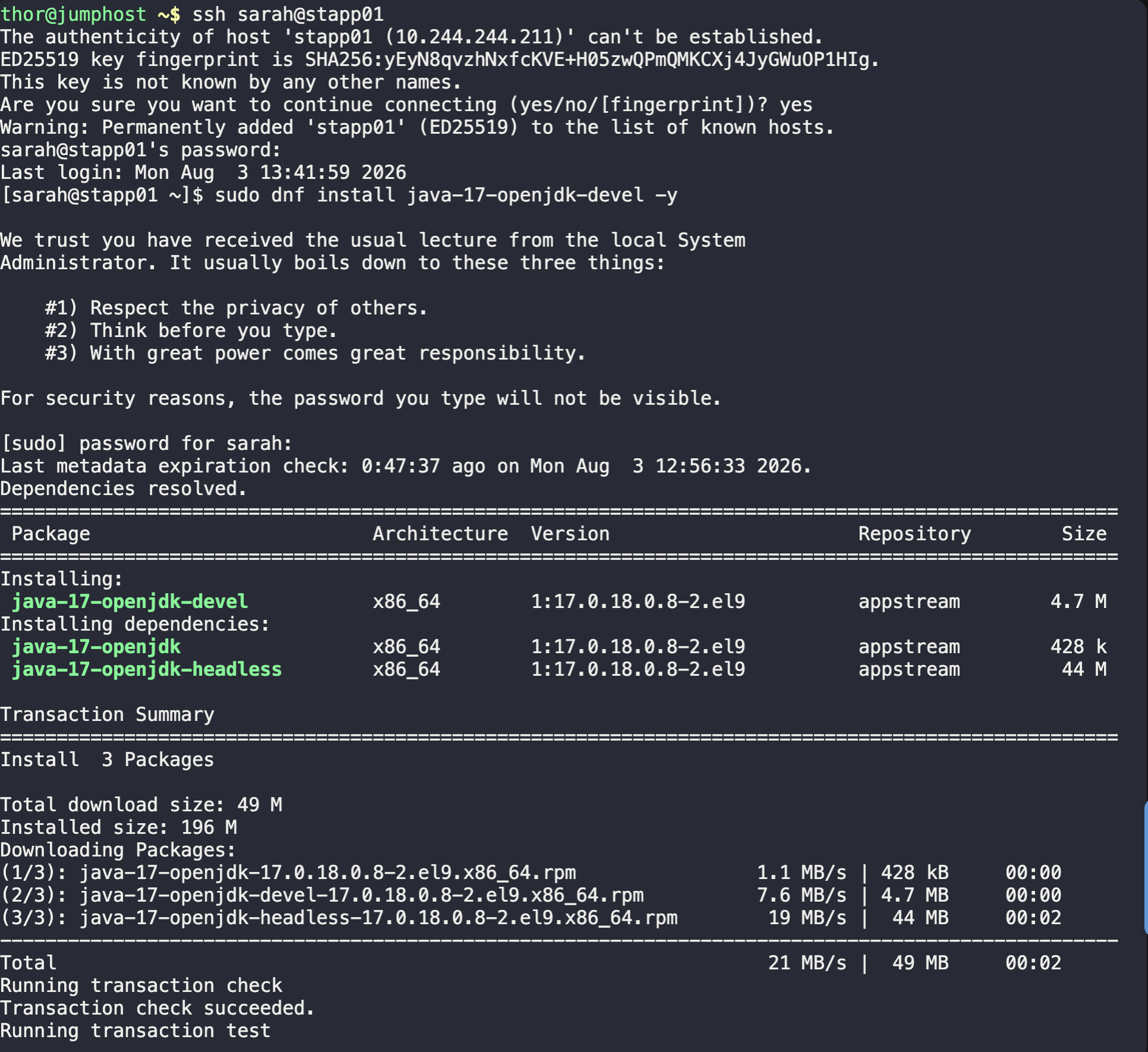
- SSH into
stapp01as usersarahfromjumphost:
ssh sarah@stapp01
- Check installed OpenJDK version:
java --version
Output:
openjdk 11.0.20.1 2023-08-24 LTS
OpenJDK Runtime Environment (Red_Hat-11.0.20.1.1-2) (build 11.0.20.1+1-LTS)
- Install OpenJDK 17 via
yum:
sudo yum install java-17-openjdk -y
- Verify Java 17 installation:
java --version
Output:
openjdk 17.0.18 2026-01-20 LTS
OpenJDK Runtime Environment (Red_Hat-17.0.18.0.8-2) (build 17.0.18+8-LTS)
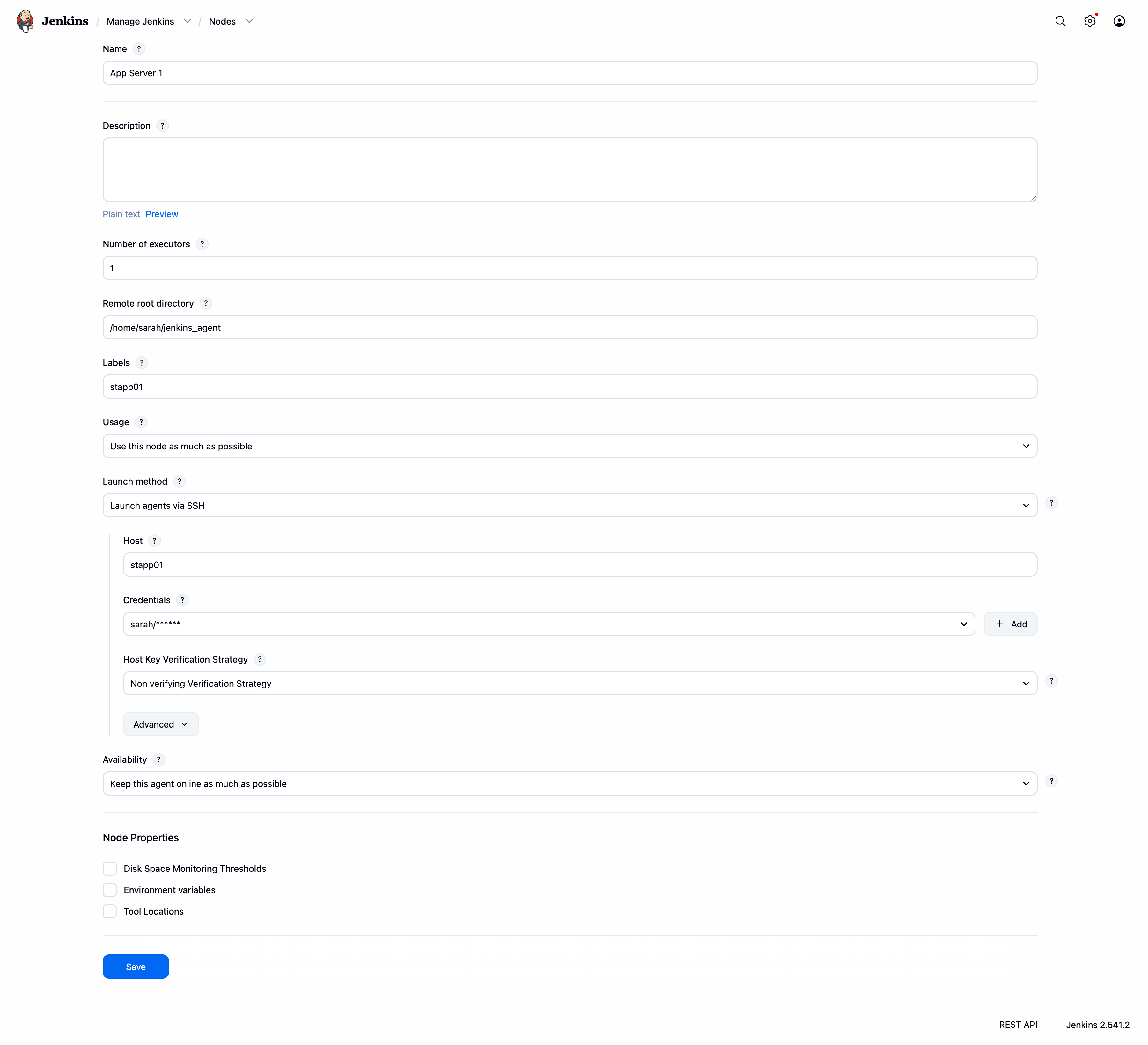
- In the Jenkins dashboard, navigate to Manage Jenkins -> Nodes -> New Node.
- Configure node settings:
- Node Name:
App Server 1 - Type: Permanent Agent
- Remote root directory:
/home/sarah/jenkins_agent - Labels:
stapp01 - Launch method: Launch agents via SSH
- Host:
stapp01 - Credentials: Select the
sarahsecret credential created in Step 2 - Host Key Verification Strategy: Non-verifying Verification Strategy
- Node Name:
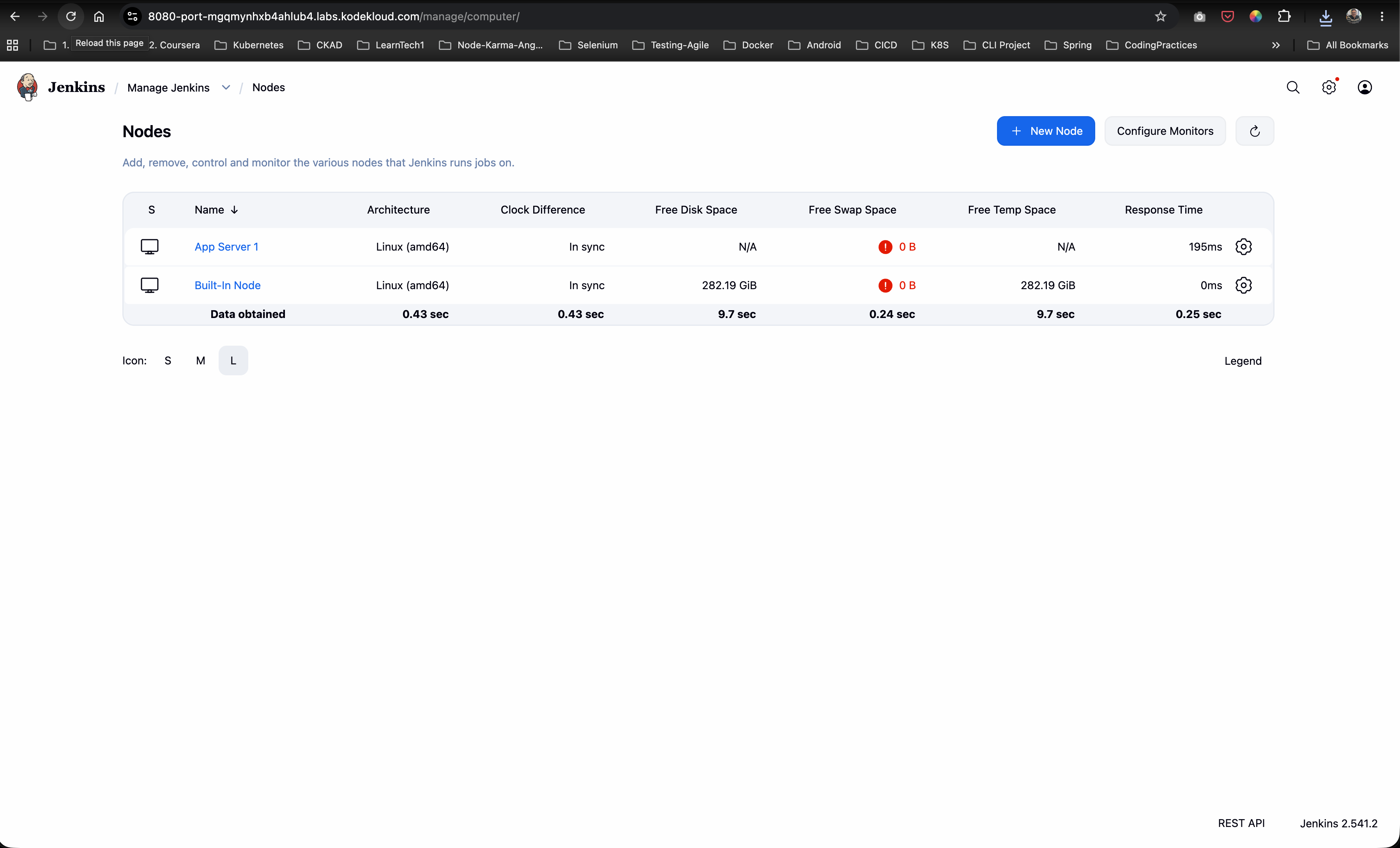
- Click Save, relaunch the agent, and confirm that status displays In service / Online.
Step 4: Create & Configure Multistage Pipeline (deploy-job)
- From the Jenkins home dashboard, click New Item.
- Enter item name:
deploy-job. -
Select Pipeline and click OK.
- Scroll down to the Pipeline section.
- Set Definition:
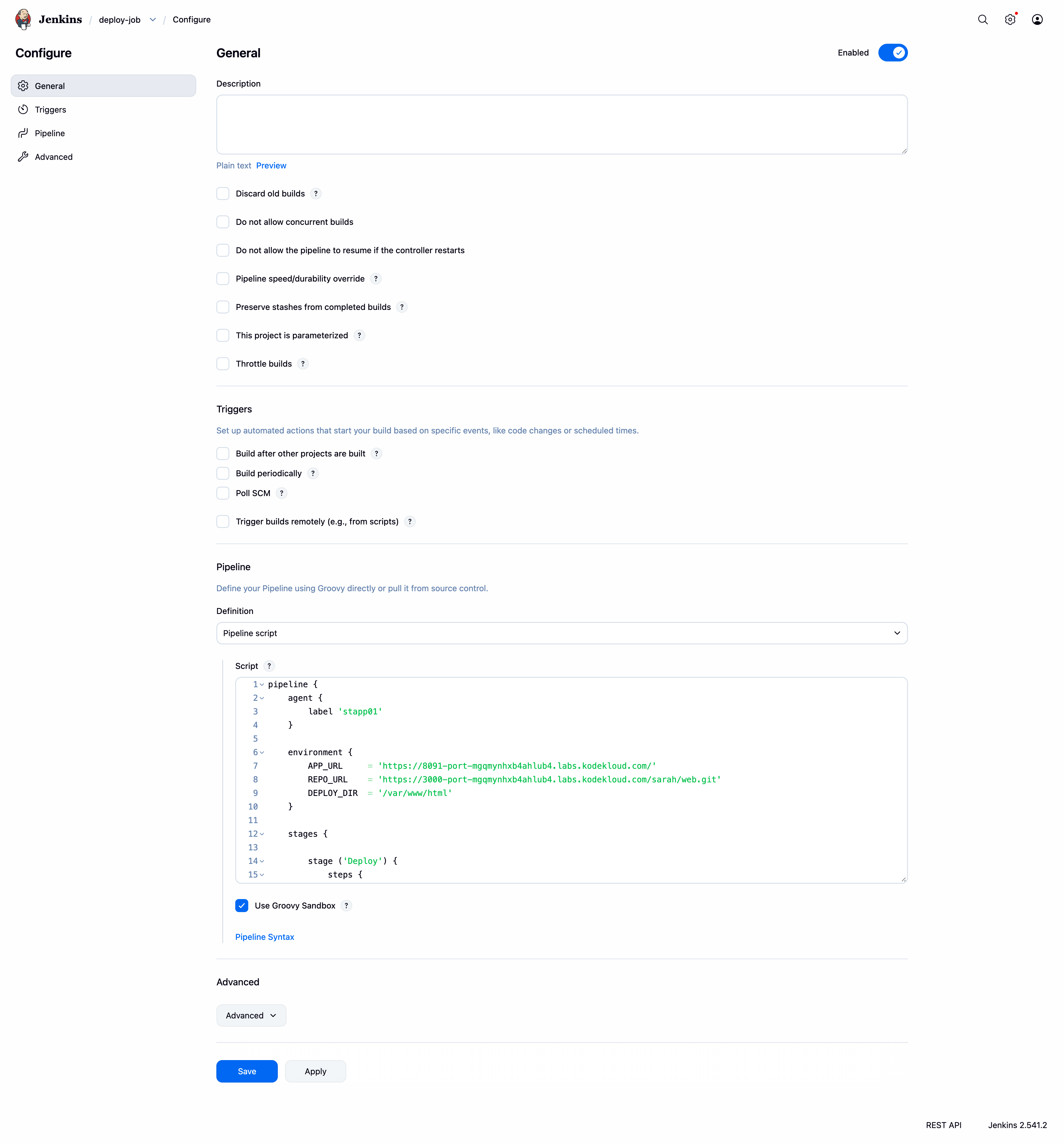
Pipeline script. - Enter the Declarative Jenkinsfile script:
pipeline {
    agent {
        label 'stapp01'
    }
    environment {
        APP_URL     = 'http://stapp01:8091/'
        REPO_URL    = 'http://gitea:3000/sarah/web.git'
        DEPLOY_DIR  = '/var/www/html'
    }
    stages {
        stage ('Deploy') {
            steps {
                sh """
                    cd ${DEPLOY_DIR}
                    git pull origin master
                """
            }
        }

        stage ('Test') {
            steps {
                sh """
                    echo 'Testing ${APP_URL}...'
                    sleep 5
                    curl --fail --silent --show-error ${APP_URL} || (echo 'APPLICATION IS DOWN' && exit 1)
                """
            }
        }
    }
}
- Click Save.
- Click Build Now to execute an initial pipeline run and verify environment configuration.
Step 5: Update Application Content & Validate Pipeline Execution
- Access the Gitea web interface or SSH into
stapp01local workspace. - Edit
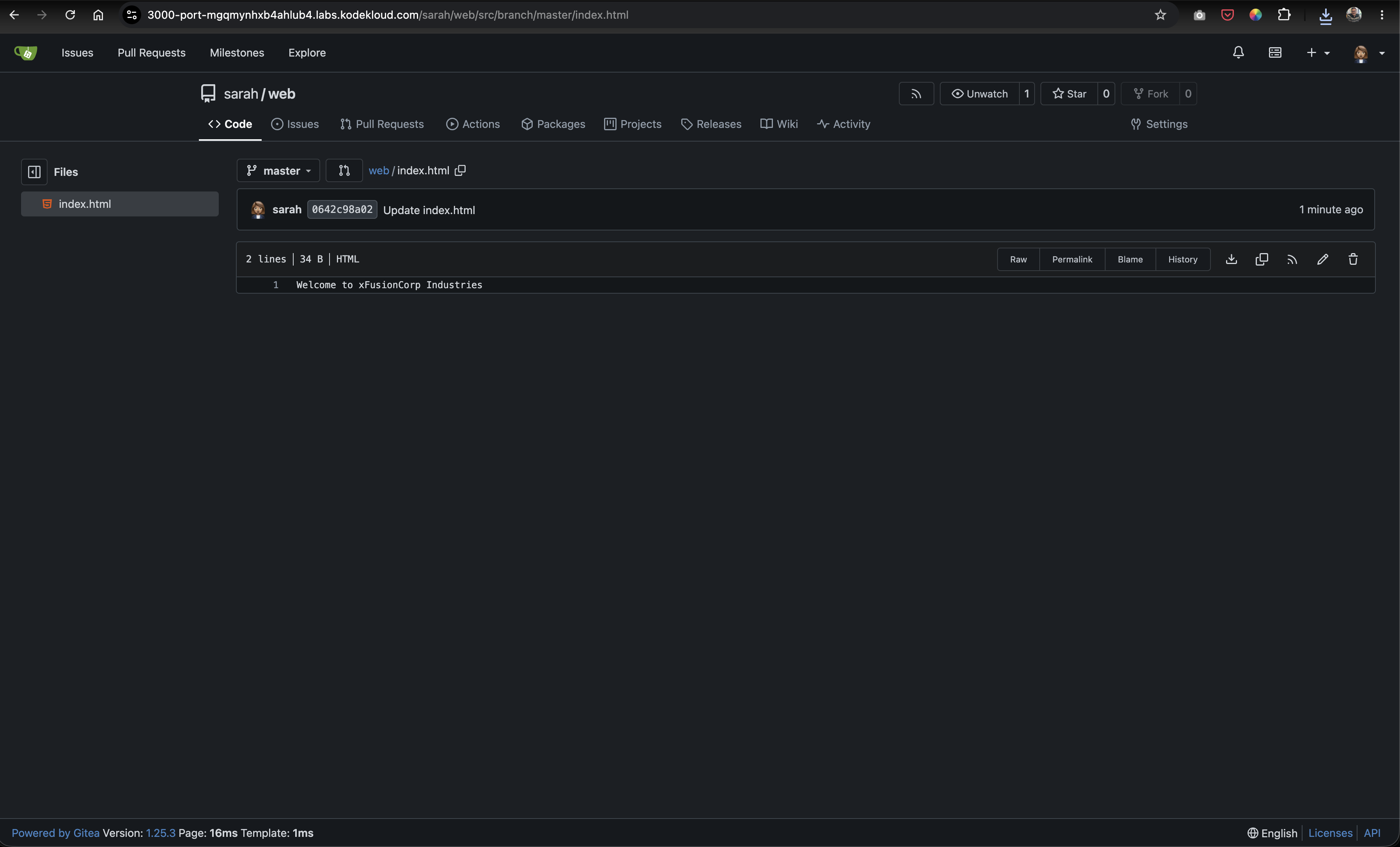
index.htmlin themasterbranch of thewebrepository:
cd /home/sarah/web
echo "Welcome to xFusionCorp Industries" > index.html
git add index.html
git commit -m "Update web content for day 81 challenge"
git push origin master
-
Verify the web application content before triggering the pipeline (shows old content):
- Navigate to Jenkins dashboard ->
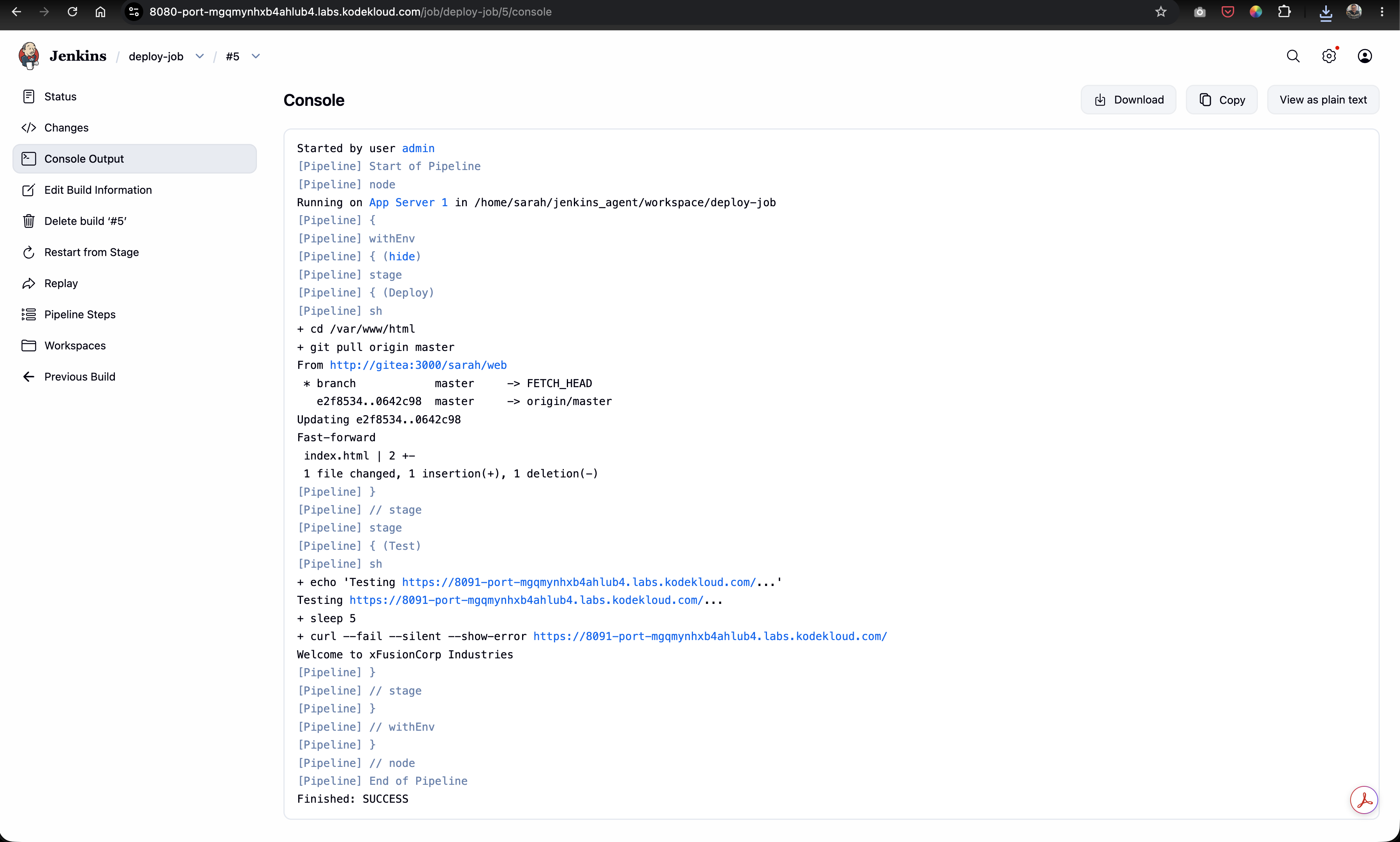
deploy-joband click Build Now. -
Monitor the Stage View to confirm both Deploy and Test stages pass with green status indicator.
- Refresh the application URL in browser or via
curl:
curl http://stapp01:8091
Response:
Welcome to xFusionCorp Industries
Verification & Troubleshooting Checklist
| Checkpoint | Expected Result | Status |
|---|---|---|
| Java 17 Runtime | java --version returns OpenJDK 17 on stapp01 |
PASS |
| Secret Credentials | Credential sarah created under Global credentials |
PASS |
| SSH Build Agent | Node App Server 1 with label stapp01 is Online |
PASS |
| Pipeline Definition | Job deploy-job configured with Declarative Groovy script |
PASS |
| Deploy Stage | Executes git pull origin master inside /var/www/html |
PASS |
| Test Stage | curl --fail completes with exit code 0 |
PASS |
| Stage View Matrix | Green execution status across Deploy and Test stages |
PASS |
| Live App Content | Application returns Welcome to xFusionCorp Industries |
PASS |
Summary
In this challenge, we successfully designed and executed a Jenkins Multistage Declarative Pipeline:
- Configured Secret Credentials: Created Jenkins SSH secret credentials for user
sarah. - Configured SSH Build Agent: Configured
App Server 1(stapp01) with Java 17 and bound it as a Jenkins agent. - Built Declarative Pipeline: Created pipeline
deploy-jobwithDeployandTeststages targeting labelstapp01. - Automated Health Check: Implemented strict HTTP health validation using
curl --failin theTeststage to confirm post-deployment application health. - End-to-End Verification: Updated source code in Gitea, triggered
deploy-job, and confirmed green Stage View status alongside updated application response.